Advertisement
Help Keep Boards Alive. Support us by going ad free today. See here: https://subscriptions.boards.ie/.
https://www.boards.ie/group/1878-subscribers-forum

Private Group for paid up members of Boards.ie. Join the club.
Hi all, please see this major site announcement: https://www.boards.ie/discussion/2058427594/boards-ie-2026

I think Windows 8 is great!

1356

Comments

  • Registered Users, Registered Users 2 Posts: 9,487 ✭✭✭banquo


    It is the worst thought out UI I've ever seen on anything ever.

    "Ah sure but if you just spend ages figuring out how to use it it's grand!" <- not a sign of a product that people worked hard for the end user on.


  • Moderators, Computer Games Moderators Posts: 23,907 Mod ✭✭✭✭Kiith


    Even with a touchscreen laptop, i hate it. Horrible design.


  • Closed Accounts Posts: 7,144 ✭✭✭DonkeyStyle \o/


    Huh, you'd think I'd have seen that.
    Maybe I was too impatient, I don't know. The thing I found with ClassicShell was that even when I thought I was safe in classic desktop mode, I'd somehow find myself back inside some metro crap or other. And there was a sidebar that popped in without me even going to the corners... are there gestures on by default with windows 8?
    In the end it came down to having other things I'd prefer to be doing than fighting an OS for what I saw as no discernible benefit over Win7. Maybe there are great new features, but I don't care that much.


  • Registered Users, Registered Users 2 Posts: 278 ✭✭Shanegggg


    banquo wrote: »
    It is the worst thought out UI I've ever seen on anything ever.

    "Ah sure but if you just spend ages figuring out how to use it it's grand!" <- not a sign of a product that people worked hard for the end user on.

    Exactly, the fact that theres two different settings windows (control panel and setting from the Metro UI) really annoys me.

    The charms window that pops up when you hover over the right side of the screen and wont go away. :mad:

    Also the amount of times I've had to google "Windows 8, how to..." is rediculous. Remember having to google how to shut it down the first time I installed & there's no easy way to hibernate the PC.

    Just all round general non intuitiveness!


  • Moderators, Education Moderators, Technology & Internet Moderators Posts: 35,351 Mod ✭✭✭✭AlmightyCushion


    Huh, you'd think I'd have seen that.
    Maybe I was too impatient, I don't know. The thing I found with ClassicShell was that even when I thought I was safe in classic desktop mode, I'd somehow find myself back inside some metro crap or other. And there was a sidebar that popped in without me even going to the corners... are there gestures on by default with windows 8?
    In the end it came down to having other things I'd prefer to be doing than fighting an OS for what I saw as no discernible benefit over Win7. Maybe there are great new features, but I don't care that much.

    I think if your mouse cursor is over at the far right of the screen it will show the charms bar without even going near the corner so that might be it. There is a gesture where if you swipe in from the very edge of the touchpad it will activate those bars so it could be that either if you are on a laptop.


  • Advertisement
  • Closed Accounts Posts: 5,377 ✭✭✭zenno


    I program on Windows 8 everyday, it is an excellent operating system.

    I find it very unfortunate that literally the only 2 reasons people don't like it are:
    • The division between Metro and desktop modes
    • The lack of a start menu.
    As Yamanoto rightly said there is a miniscule learning curve involved in bypassing Metro from the get go - but people's first impressions leave them bewildered and frustratingly trying just to access the desktop mode. But when it comes down to it, it's extremely simple.

    Regarding the Start menu, reports suggest Microsoft are adding a slimmed down start menu back in for Windows 8.1.

    I use Ninite when setting up any OS and I really suggest others try it and pass it on too if they like it. It's a site that lets you install many useful programs in one click, bypassing all of the prompts associated with installs if you want. Anyway the point is it includes Classic Shell in the list of options on that site (under utilities), which is a fantastic, easily customisable replacement to that missing start menu.

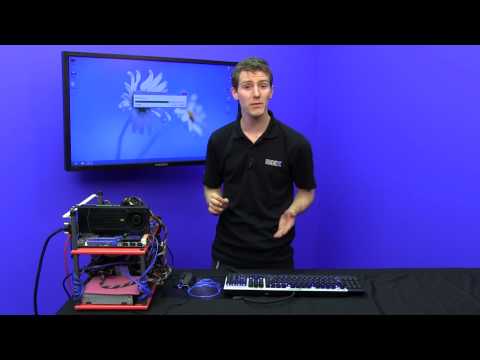
    More info from the truly awesome Linus from youtube:

    Who said anything about how difficult it would be to learn the new UI on windows 8 ?. I tested the beta when it came out and it's an ok operating system and i know my way around it just like i know my way around all previous operating systems.

    But with a user interface modelled from a smart phone for your computer interface using a keyboard and mouse is absolutely useless, but not bad as i previously said if using a laptop or touch-screen.

    Yes you can use your old desktop as per usual and i tested the release candidate as well and it worked perfectly fine but i think windows 7 does what windows 8 does and so see no desire to upgrade to this windows 8 as win 7 does it all just fine. Everyone to their own.

    Well you can upgrade to this operating system win 8 but you will surely need to purchase a touch-screen monitor for desktop use otherwise what is the point from the windows 7 standard ?.


  • Registered Users, Registered Users 2 Posts: 1,583 ✭✭✭mconigol


    It should just be called Window, now. Terrible OS.

    I laughed :(


  • Registered Users, Registered Users 2 Posts: 496 ✭✭bette


    I have no problems with Windows 8. What am I doing wrong?

    I also never had problems with Windows 7 or indeed XP and I never found out what I was doing wrong! Maybe computers are not for everyone...


  • Registered Users, Registered Users 2, Paid Member Posts: 29,964 ✭✭✭✭_Kaiser_


    Windows 8 works fine on a tablet.. actually it's quite nice on a tablet.. UNTIL it inevitably drops you back to the classic desktop at which point you're back to trying to hit buttons and icons designed for a mouse pointer, not a stubby finger.

    All this talk about how quick it is should be taken with a pinch of salt too. I have it here right now on my work laptop (DELL Latitude E6220) which has 8GB RAM, Core i5, 256GB HDD etc and ok it boots up fairly fast but after you put in your login credentials it still takes the same 2/3 mins to finish setting up that every other version of Windows does... Sure it's fast when you first install it but who doesn't load anything else onto their PC?

    My personal laptop is a similarly specced DELL Vostro 3350 except it runs Win 7 and has a SSD.. it blows the office machine out of the water (it actually IS ready to go immediately after login) and is actually helpful for getting things done rather than Win 8's "improvements" of hiding essential things (like the shut down option) and full screen fisher price blocks.

    TL;DR: Get a SSD and Win 7 and be impressed! :)


  • Registered Users, Registered Users 2 Posts: 6,579 ✭✭✭garv123


    Not being able to sign out of the Mail app if you let someone else use it is a joke.. Skype is always fullscreen which is another stupid idea.

    When you close something it brings you to the start menu instead of where you want to be on the desktop or in a folder where the rest of the files you were looking at were.

    Open a PDF beside word.. nah lets make the PDF full screen only.

    Lets make the touch pad do a million things that you dont want to either..

    These little trivial things are what bug me about it.

    My mother got a new netbook this week and I told her not to get windows 8 because she´d never get used to the features or be able to work it properly. The shop agreed and told her to get a windows 7 model.


  • Advertisement
  • Banned (with Prison Access) Posts: 21,634 ✭✭✭✭Richard Dower


    +1 on the linus Tech tips YT channel....awesome reviews, yer man is quite funny as well + he knows his stuff!


  • Registered Users, Registered Users 2 Posts: 23,246 ✭✭✭✭Dyr


    garv123 wrote: »

    My mother got a new netbook this week

    Was it in the aisle beside the last of the tazmanian devils or over by the Dodo counter? Who the f**k is still flogging netbooks :confused:


  • Registered Users, Registered Users 2 Posts: 6,579 ✭✭✭garv123


    Bambi wrote: »
    Was it in the aisle beside the last of the tazmanian devils or over by the Dodo counter? Who the f**k is still flogging netbooks :confused:

    :rolleyes::rolleyes:

    Still popular for women who dont want to lug a laptop around with them or dont have the use for a full size laptop..Netbooks fit in most of their crazily oversized handbags..


  • Registered Users, Registered Users 2 Posts: 36,962 ✭✭✭✭LuckyLloyd


    In some respects, the biggest problem Windows 8 has is that Windows 7 was such a spectacular OS.

    It will all be sorted. Later versions of 8 will offer a more seemless transition and, ultimately, Windows 9 will probably be a huge leap forward.


  • Closed Accounts Posts: 734 ✭✭✭Tom_Cruise


    I like it as well. I think its pretty much the exact same as every other Windows before it more or less. Its just people don't like change i think.


  • Registered Users, Registered Users 2 Posts: 816 ✭✭✭dr strangelove


    This is all i have to say on the matter.


  • Registered Users, Registered Users 2 Posts: 2,607 ✭✭✭skinny90


    Windows blue will sort out all the issues... If rumers or through there will be a start menu button to revert back to just normal/traditional users


  • Registered Users, Registered Users 2 Posts: 20,008 ✭✭✭✭kippy


    A couple of points, may have been stated already.
    Those that say "sure the UI needed a change" it's been around since 1992 and lots of changed since 1992"
    Sure - yeah that's true but cars still come with steering wheels, brakes, indicators etc etc, the basic "UI" hasn't changed in these for good reason.
    Changing the UI - albeit in a small but very very noticeable way, will and has thrown off many users - and it's not down to a "lack of intelligence" - it's down to what they know, how they go about their daily tasks. They don't want the hassle of relearning and organisations dont what the hassle of training or lost productivity.
    At the very least microsoft should have but in an option for "CLASSIC" start menu. They seem to have realised this now.......after alienating their "core" business market.

    As for classic start menu, isn't there a free application for that?
    Available here under utilities: http://ninite.com/
    No need to pay for it as far as I am aware, but perhaps I am missing something.

    Now, 8 has loads of benefits, but for the vast majority of people who use it they won't even notice. What they notice is what the UI is and looks like.

    While there have been mass improvements in the back end of the OS from version to version, since windows NT almost, for the vast majority of home, and indeed business users, what they do within the OS hasn't changed a whole lot. If anything they use the "OS" itself for less and less with more and more web based apps in use. People use social networking, play music and movies, stor and modify photoes, do up the odd document at home, perhaps play the odd basic game. That much hasn't really changed.


  • Registered Users, Registered Users 2 Posts: 13,295 ✭✭✭✭Duggy747


    I was a bit weary of it first during the betas but once I got to grips with Metro (which really doesn't take that long) it's a grand OS, certainly not the piece of shìt it's being made out to be.

    But, I still like me Win 7 so I have no reason to upgrade yet.


  • Registered Users, Registered Users 2 Posts: 17,745 ✭✭✭✭kylith


    I have it and I find it grand, like a broken leg is grand; it doesn't cause too much of a problem unless you try to push it too hard.

    The things about it which really annoy me are the lack of a start menu, which will cause problems when my mum has to upgrade, and the fact that if you want to connect to a network of any kind you have to fork out extra for the Pro version.


  • Advertisement
  • Registered Users, Registered Users 2 Posts: 1,758 ✭✭✭kingtiger


    swearing il only buy apple products from now on

    hehehe

    talk about out of the firing pan and into the fire

    oh btw have you ever used OSX?

    *edit* I absolutely detest Windows 8 used it for two weeks and went back to 7


  • Posts: 18,160 ✭✭✭✭ [Deleted User]


    Hours? Are you serious? In Start8, there are a few checkboxes that disable all the hot corners and side bars. That full screen app that opened for photos is just the default application for photos. To get around that you just right click and select "open with" and choose the other pictures application. That is pretty basic for any relatively advanced user. It took me no time at all to that, a couple of minutes tops.

    You can also uninstall most of the default Metro apps if you don't want them, just right-click them. :)
    Kaiser2000 wrote: »
    All this talk about how quick it is should be taken with a pinch of salt too. I have it here right now on my work laptop (DELL Latitude E6220) which has 8GB RAM, Core i5, 256GB HDD etc and ok it boots up fairly fast but after you put in your login credentials it still takes the same 2/3 mins to finish setting up that every other version of Windows does... Sure it's fast when you first install it but who doesn't load anything else onto their PC?

    +1. It boots up faster because it hibernates the kernel rather than shutting it down, but once I get in there it doesn't feel any different to Windows 7. Every time a new version of Windows comes out I read reports from people saying it's faster, but that's probably just compared to a bloated (possibly OEM crapware-ridden) copy of the previous one.


  • Registered Users, Registered Users 2 Posts: 17,745 ✭✭✭✭kylith


    I don't need big dumbass pictures of my programs all over the place. I don't have a touch-screen, I'm not going to have a touch screen. I tried to turn off the new crap with one of those startmenu programs, but the sidebar was still popping out, viewing images opened some fullscreen crap that I couldn't summon the will to figure out.
    Would it have been that much trouble for them to have a prompt come up asking if you want to use Windows Fisherprice Kiosk Edition?
    Fair play to anyone who likes it, I'm not saying you shouldn't, but I can't be bothered with it, or spending hours researching how to turn off the bullshit I don't want, just so it can be more like the OS before it.
    This is actually super annoying. I just wanted to look at some pictures, I didn't want to not be able to access anything else while I'm at it.


  • Registered Users, Registered Users 2 Posts: 19,610 ✭✭✭✭VinLieger


    Ive actually gotten used to hot corners and stuff but still would prefer if pictures and video files opened up as new windows in the desktop view instead of metro apps, im sure Start8 or WindowsShell have stuff that does that but havent been arsed trying them out yet


  • Closed Accounts Posts: 18,053 ✭✭✭✭BostonB


    Karsini wrote: »
    You can also uninstall most of the default Metro apps if you don't want them, just right-click them. :)


    +1. It boots up faster because it hibernates the kernel rather than shutting it down, but once I get in there it doesn't feel any different to Windows 7. Every time a new version of Windows comes out I read reports from people saying it's faster, but that's probably just compared to a bloated (possibly OEM crapware-ridden) copy of the previous one.


    http://usabilitygeek.com/windows-8-vs-windows-7-speed-and-performance-testing/
    http://usabilitygeek.com/windows-8-vs-windows-7-speed-and-performance-testing/

    http://www.tomshardware.com/reviews/fx-8150-zambezi-bulldozer-990fx,3043-23.html

    All the hardware I'm using is quite old nothing newer than 4 yrs old. Most Core2Duo laptops and PC's and Windows 8 feels quicker, going from a clean install from 7 to 8. Doing a clean install its quicker to install, and seems to have more drivers than Windows 7.


  • Posts: 18,160 ✭✭✭✭ [Deleted User]


    Actually, one of my biggest complaints with Windows 8 is the size of updates. I seem to be downloading about 400MB every month.
    VinLieger wrote: »
    Ive actually gotten used to hot corners and stuff but still would prefer if pictures and video files opened up as new windows in the desktop view instead of metro apps, im sure Start8 or WindowsShell have stuff that does that but havent been arsed trying them out yet

    As I said above, right-click the Pictures app (or whatever other ones are causing trouble) and uninstall it. :)


  • Closed Accounts Posts: 18,053 ✭✭✭✭BostonB


    VinLieger wrote: »
    Ive actually gotten used to hot corners and stuff but still would prefer if pictures and video files opened up as new windows in the desktop view instead of metro apps, im sure Start8 or WindowsShell have stuff that does that but havent been arsed trying them out yet

    You can just re-associate them with your favorite apps. I use VLC and XNView same as I aways have.

    I think you are over thinking this. You can ignore the Metro apps for the most part.


  • Registered Users, Registered Users 2 Posts: 7,813 ✭✭✭TPD


    My only complaints are that you have to click once after entering your password to get to the desktop, and that shutting down is awkward. Otherwise it's essentially the same as windows 7 for my uses.


  • Closed Accounts Posts: 18,053 ✭✭✭✭BostonB


    That said I see nothing in Windows 8 that I would need to upgrade from Windows 7 for.

    For older OS'es though I have no problem upgrading to W8 assuming the price was right. I wouldn't pay much for it though. As I can happliy work with XP or W7 same as I do W8.


  • Advertisement
  • Closed Accounts Posts: 18,053 ✭✭✭✭BostonB


    TPD wrote: »
    My only complaints are that you have to click once after entering your password to get to the desktop, and that shutting down is awkward. Otherwise it's essentially the same as windows 7 for my uses.

    Those of the kinda things you use Classic Start for. That said I use Classic Start with Windows 7 as its missing some things I liked from XP.


Advertisement
Advertisement