Advertisement
Help Keep Boards Alive. Support us by going ad free today. See here: https://subscriptions.boards.ie/.
https://www.boards.ie/group/1878-subscribers-forum

Private Group for paid up members of Boards.ie. Join the club.
Hi all, please see this major site announcement: https://www.boards.ie/discussion/2058427594/boards-ie-2026

I think Windows 8 is great!

2456

Comments

  • Closed Accounts Posts: 18,053 ✭✭✭✭BostonB


    Windows 8 is tablet based and somewhat a copy of apples OS.

    I reckon I would stick with win7 on next M$ laptop. I prefer it, I know it. (I'd stick with XP if it wasn't so outdated now XD..)...

    I have no idea what you are talking about.

    tablet based ? copy of apples OS?

    Underneath W8 is the same as W7. It might look a bit different here and there but thats about it. Install a menu its like a better windows 7.


  • Closed Accounts Posts: 5,377 ✭✭✭zenno


    Ahh bring back windows millennium edition, that was a great operating system, i had many hours of fun with all the error codes to deal with :pac:

    It will be interesting to see how windows 9 pans out in the future, i'll be waiting for that one. If i end up purchasing a new laptop later i'll be happy enough with windows 8 on it with the start menu installed but for the desktop nah, it just does not compute unless you have a touch-screen. Windows 7 is the most stable operating system i have tried so far out of them all and it does the job spectacularly.


  • Registered Users, Registered Users 2 Posts: 1,510 ✭✭✭DesperateDan


    People are generally idiots, they don't seem to realise you can use W8 without any of the touch screen functionality whatsoever. That's what I've been doing on my pc for a year now and it really works like a charm. Very fast and stable, lovely task manager and windows Explorer. And super cheap too!


  • Registered Users, Registered Users 2 Posts: 1,089 ✭✭✭DjFlin


    Have Windows 8 and for the most part I love it.

    Under the hood its just a better Windows 7. I do agree though that its UI is tablet focused and can be a hassle with a mouse and keyboard at times.


  • Closed Accounts Posts: 5,377 ✭✭✭zenno


    People are generally idiots, they don't seem to realise you can use W8 without any of the touch screen functionality whatsoever. That's what I've been doing on my pc for a year now and it really works like a charm. Very fast and stable, lovely task manager and windows Explorer. And super cheap too!

    Ehh, most do realize this but they don't like windows 8 for other reasons. In desktop mode it is the same as windows 7 but there are other things related to win8 that some people might not like.

    It is the same in desktop mode as win7 but people are fussy you know.


  • Advertisement
  • Closed Accounts Posts: 18,053 ✭✭✭✭BostonB


    zenno wrote: »
    Ehh, most do realize this but they don't like windows 8 for other reasons. In desktop mode it is the same as windows 7 but there are other things related to win8 that some people might not like.

    It is the same in desktop mode as win7 but people are fussy you know.


    What other reasons?


  • Closed Accounts Posts: 5,377 ✭✭✭zenno


    BostonB wrote: »
    What other reasons?

    Ask the people that use it. Google is your friend.


  • Closed Accounts Posts: 3,514 ✭✭✭PseudoFamous


    Very first thing i did on install was buy Start8....sorted.

    That's like saying "Oh my car didn't come with aircon so I just cut some holes in the windscreen"

    Personally, I don't care about the lack of startmenu, not in the least. I play around with different OS-es quite a bit, and my main gripe with windows 8 is how disjointed it is. It's two OSes strapped together, and hardly done seamlessly. I have the difference in grunt between 8 and 7 available to me and then plenty, so I'm sticking around with W7 for the foreseeable future since it's at least continuous and logical.


  • Closed Accounts Posts: 18,053 ✭✭✭✭BostonB


    zenno wrote: »
    Ask the people that use it. Google is your friend.

    Thought as much.


  • Site Banned Posts: 4,034 ✭✭✭Amprodude


    I ran window 8 off a virtual machine to see what it's like. I didn't like it at all. I have windows 7 and I will hold onto that as my OS and keep windows 8 to the virtual PC.


  • Advertisement
  • Registered Users, Registered Users 2 Posts: 2,491 ✭✭✭looking_around


    It's not an upgrade if it ends being them same now as it. And it's a bit ridic, to get win 8, have to install a menu. When you can still get win7 and it works a charm, no hassle.

    Windows 8 was created for tablets, for them to be squirming it around for PC's is awkward.
    __
    And yes, if you've used an apple, the whole pinch/and slide on the mousepad has been around awhile


  • Closed Accounts Posts: 5,489 ✭✭✭Yamanoto


    zenno wrote: »
    Ehh, most do realize this but they don't like windows 8 for other reasons.

    I'm not too sure about that tbh. Microsoft naturally wanted to big up a new departure for Windows with all the associated bells and whistles, so it would've sent out mixed messages if they'd simultaneously highlighted the fact that the new UI could be almost completely circumvented, in favour of something strikingly similar to Win7.

    I'd imagine most folks think there's at least a moderate learning curve involved with shifting to Win8, though that's really not the case if they choose to bypass Metro altogether.


  • Banned (with Prison Access) Posts: 240 ✭✭The Barefoot Pizza Thief


    Spoilt kids.

    You don't know computer hardship until you've had to hold a cushion over a banshee like screaming tape deck at 1am for fear of it waking up your folks, as Ghosts n Goblins loads.


  • Closed Accounts Posts: 18,053 ✭✭✭✭BostonB


    That's like saying "Oh my car didn't come with aircon so I just cut some holes in the windscreen"

    Considering you can switch back to not having a start menu with almost no effort, (its just an app) and you can't if you've drilled holes in your car, its obviously not like that.
    Personally, I don't care about the lack of startmenu, not in the least. I play around with different OS-es quite a bit, and my main gripe with windows 8 is how disjointed it is. It's two OSes strapped together, and hardly done seamlessly. I have the difference in grunt between 8 and 7 available to me and then plenty, so I'm sticking around with W7 for the foreseeable future since it's at least continuous and logical.

    I would assume that someone used to switching OS'es would see it more like a skin, or at a stretch like a desktop environment on Linux. Because the Metro UI is figuratively (but perhaps literally) only skin deep.


  • Registered Users, Registered Users 2 Posts: 15,850 ✭✭✭✭Oat23


    gamercfc wrote: »
    The new start menu (metro) is kind of a pain, though. I do like the addition of the apps etc. It's cool. But I also liked scrolling through the Start menu and finding the program I want to run eg: if I wanted to play Red Alert 2, I could just scroll down and find it in the Westwood folder within the Start Menu. I have to search harder now to find what I'm looking for in the new Start menu because they look a bit scattered.

    If you use Steam for your games, look up the app Steam Tile on the windows store. Very useful app that creates tiles for your games.

    Attached mine so you see what I mean.


  • Closed Accounts Posts: 18,053 ✭✭✭✭BostonB


    It's not an upgrade if it ends being them same now as it. And it's a bit ridic, to get win 8, have to install a menu. When you can still get win7 and it works a charm, no hassle.

    Windows 8 was created for tablets, for them to be squirming it around for PC's is awkward.
    __
    And yes, if you've used an apple, the whole pinch/and slide on the mousepad has been around awhile

    If you can install a menu and its the same as Win7, then it kinda suggests its not been built for a tablet.


  • Registered Users, Registered Users 2 Posts: 2,491 ✭✭✭looking_around


    no, it suggests they've added a function to make it usable on non-touch screens.


  • Registered Users, Registered Users 2 Posts: 1,510 ✭✭✭DesperateDan


    zenno wrote: »
    Ask the people that use it. Google is your friend.

    I program on Windows 8 everyday, it is an excellent operating system.

    I find it very unfortunate that literally the only 2 reasons people don't like it are:
    • The division between Metro and desktop modes
    • The lack of a start menu.
    As Yamanoto rightly said there is a miniscule learning curve involved in bypassing Metro from the get go - but people's first impressions leave them bewildered and frustratingly trying just to access the desktop mode. But when it comes down to it, it's extremely simple.

    Regarding the Start menu, reports suggest Microsoft are adding a slimmed down start menu back in for Windows 8.1.

    I use Ninite when setting up any OS and I really suggest others try it and pass it on too if they like it. It's a site that lets you install many useful programs in one click, bypassing all of the prompts associated with installs if you want. Anyway the point is it includes Classic Shell in the list of options on that site (under utilities), which is a fantastic, easily customisable replacement to that missing start menu.

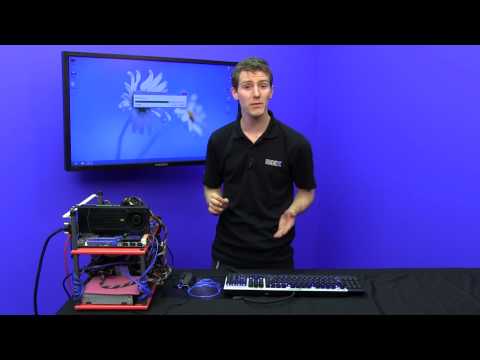
    More info from the truly awesome Linus from youtube:


  • Closed Accounts Posts: 7,144 ✭✭✭DonkeyStyle \o/


    I don't need big dumbass pictures of my programs all over the place. I don't have a touch-screen, I'm not going to have a touch screen. I tried to turn off the new crap with one of those startmenu programs, but the sidebar was still popping out, viewing images opened some fullscreen crap that I couldn't summon the will to figure out.
    Would it have been that much trouble for them to have a prompt come up asking if you want to use Windows Fisherprice Kiosk Edition?
    Fair play to anyone who likes it, I'm not saying you shouldn't, but I can't be bothered with it, or spending hours researching how to turn off the bullshit I don't want, just so it can be more like the OS before it.


  • Closed Accounts Posts: 18,053 ✭✭✭✭BostonB


    no, it suggests they've added a function to make it usable on non-touch screens.

    How is it not usable out of the box. Click on the desktop tile and you're back to Windows 7 desktop. You can right click and explore your hard disk and folders like before. that's before you add anything like a menu.

    I don't like Metro, its like a rough demo of a work in progress. But the hysterics about it are ridiculous, considering 5 mins and you can turn most of metro off.


  • Advertisement
  • Banned (with Prison Access) Posts: 9,463 ✭✭✭Celly Smunt


    XP is best.


  • Registered Users, Registered Users 2 Posts: 1,510 ✭✭✭DesperateDan


    or spending hours researching how to turn off the bullshit I don't want

    I think you mean seconds or minutes :D


  • Moderators, Education Moderators, Technology & Internet Moderators Posts: 35,351 Mod ✭✭✭✭AlmightyCushion


    I don't need big dumbass pictures of my programs all over the place. I don't have a touch-screen, I'm not going to have a touch screen. I tried to turn off the new crap with one of those startmenu programs, but the sidebar was still popping out, viewing images opened some fullscreen crap that I couldn't summon the will to figure out.
    Would it have been that much trouble for them to have a prompt come up asking if you want to use Windows Fisherprice Kiosk Edition?
    Fair play to anyone who likes it, I'm not saying you shouldn't, but I can't be bothered with it, or spending hours researching how to turn off the bullshit I don't want, just so it can be more like the OS before it.

    Hours? Are you serious? In Start8, there are a few checkboxes that disable all the hot corners and side bars. That full screen app that opened for photos is just the default application for photos. To get around that you just right click and select "open with" and choose the other pictures application. That is pretty basic for any relatively advanced user. It took me no time at all to that, a couple of minutes tops.


  • Registered Users, Registered Users 2 Posts: 41,159 ✭✭✭✭Xavi6


    apps are not real computing,buisnesses will not use windows 8 that's why Microsoft is trying to fix it,windows 8 was built for tablets

    My company is rolling it out in the next fortnight and I'm on the pilot group, should be fun.


  • Closed Accounts Posts: 18,053 ✭✭✭✭BostonB


    I think some people here would have given up with the Biro.


  • Closed Accounts Posts: 393 ✭✭kingofslaves


    my g/f got a new laprop and I hate win8 ! I'm using win7 on my machine and love the quicklaunch bar, icons on my screen and being able to shut it down using a shortcut on the quicklaunch (added it myself but just as quick to do it from the start menu) But with a simple regedit you can have the original windows menu and metro:


  • Moderators, Education Moderators, Technology & Internet Moderators Posts: 35,351 Mod ✭✭✭✭AlmightyCushion


    my g/f got a new laprop and I hate win8 ! I'm using win7 on my machine and love the quicklaunch bar, icons on my screen and being able to shut it down using a shortcut on the quicklaunch (added it myself but just as quick to do it from the start menu) But with a simple regedit you can have the original windows menu and metro:


    That only worked with an early beta or dev build. It doesn't work any more.


  • Registered Users, Registered Users 2 Posts: 295 ✭✭montreal2011


    ...
    apps are not real computing,buisnesses will not use windows 8 that's why Microsoft is trying to fix it,windows 8 was built for tablets

    It's their attempt to create an OS compatible with all device types, from Mobile to Desktop.
    dh0011 wrote: »
    or use ubuntu

    MINT is a great option also, probably better for most users.
    That's like saying "Oh my car didn't come with aircon so I just cut some holes in the windscreen"

    ...

    Nah, it's more like saying "Oh my car does not have remote locking so I'll install it . . ."
    Xavi6 wrote: »
    My company is rolling it out in the next fortnight and I'm on the pilot group, should be fun.

    Good luck!


  • Closed Accounts Posts: 7,144 ✭✭✭DonkeyStyle \o/


    Hours? Are you serious? In Start8, there are a few checkboxes that disable all the hot corners and side bars.
    Oh, so I was supposed to be using Start8... right, I don't know how I didn't figure that out within seconds alright. I made the stupid mistake of downloading ClassicShell based on the advice of one of the plethora of articles about how to get rid of metro.


  • Advertisement
  • Moderators, Education Moderators, Technology & Internet Moderators Posts: 35,351 Mod ✭✭✭✭AlmightyCushion


    Oh, so I was supposed to be using Start8... right, I don't know how I didn't figure that out within seconds alright. I made the stupid mistake of downloading ClassicShell based on the advice of one of the plethora of articles about how to get rid of metro.

    The option is in Classic Shell as well.

    http://www.askvg.com/how-to-disable-hot-corners-charms-bar-start-screen-thumbnail-app-switch-list-in-windows-8/

    It's half way down the page, just look for the "install classic shell" part and follow the rest.


Advertisement
Advertisement