Advertisement
Help Keep Boards Alive. Support us by going ad free today. See here: https://subscriptions.boards.ie/.
https://www.boards.ie/group/1878-subscribers-forum

Private Group for paid up members of Boards.ie. Join the club.
Hi all, please see this major site announcement: https://www.boards.ie/discussion/2058427594/boards-ie-2026

Vodafone Smart ultra 6 Owners Thread- apps, tips & tricks

1137138140142143173

Comments

  • Registered Users, Registered Users 2 Posts: 22 mcennis


    So i bought the phone today, got one of vodaphones 3 size sim cards, none of the sizes would fit the phone? The mirco-sim was too big and the nano seems way too small?


  • Posts: 12,548 ✭✭✭✭ [Deleted User]


    mcennis wrote: »
    So i bought the phone today, got one of vodaphones 3 size sim cards, none of the sizes would fit the phone? The mirco-sim was too big and the nano seems way too small?

    Are you trying to put it in the SD card slot? :pac:


  • Registered Users, Registered Users 2 Posts: 22 mcennis


    No..
    It doesn't fit the bracket. It was too big to fit as a mirco-sim and when I made it small to a nano-sim its too small.


  • Posts: 12,548 ✭✭✭✭ [Deleted User]


    mcennis wrote: »
    No..
    It doesn't fit the bracket. It was too big to fit as a mirco-sim and when I made it small to a nano-sim its too small.

    Well maybe if you provide a photo, someone can help. Not a known issue, though.


  • Registered Users, Registered Users 2 Posts: 7,191 ✭✭✭DopeTech


    mcennis wrote: »
    No..
    It doesn't fit the bracket. It was too big to fit as a mirco-sim and when I made it small to a nano-sim its too small.

    A nano sim fits in the bracket, if if doesn't flip it over and try again. Sim tray is the one to the right of the screen above the volume buttons.


  • Advertisement
  • Registered Users, Registered Users 2 Posts: 1,122 ✭✭✭killanena


  • Registered Users, Registered Users 2 Posts: 7,191 ✭✭✭DopeTech


    killanena wrote: »

    Looks like the micro SD tray. Reread the last few posts and take it from there.


  • Registered Users, Registered Users 2 Posts: 22 mcennis


    My mistake and my apologies guys.. You were right it was the SD slot i was trying to insert it in xD
    Thank you for the help. I shouldn't be allowed up this late, or early I should say.


  • Registered Users, Registered Users 2, Paid Member Posts: 19,580 ✭✭✭✭Mantis Toboggan


    Can anyone describe how interruptions works?

    I've it set to priority interruptions only during the night but it doesn't seem to make any difference??

    Free Palestine 🇵🇸


  • Registered Users, Registered Users 2 Posts: 7,191 ✭✭✭DopeTech


    Tyson Fury wrote: »
    Can anyone describe how interruptions works?

    I've it set to priority interruptions only during the night but it doesn't seem to make any difference??

    This explains it pretty well


  • Advertisement
  • Registered Users, Registered Users 2, Paid Member Posts: 19,580 ✭✭✭✭Mantis Toboggan


    Can't seem to load that video Frosty??

    Free Palestine 🇵🇸


  • Registered Users, Registered Users 2 Posts: 7,191 ✭✭✭DopeTech


    Tyson Fury wrote: »
    Can't seem to load that video Frosty??

    Fixed the link.


  • Registered Users, Registered Users 2, Paid Member Posts: 19,580 ✭✭✭✭Mantis Toboggan


    Cheers, so am I right in saying the only thing you can stop is calls and text messages?

    Free Palestine 🇵🇸


  • Registered Users, Registered Users 2 Posts: 7,191 ✭✭✭DopeTech


    Tyson Fury wrote: »
    Cheers, so am I right in saying the only thing you can stop is calls and text messages?

    Apps can be set in sound and notifications too in the App notification menu.


  • Posts: 12,548 ✭✭✭✭ [Deleted User]


    One of my biggest annoyances with the SU6 was that DND mode stopped alarms as well. That isn't the case with any of my other devices.


  • Registered Users, Registered Users 2 Posts: 494 ✭✭shanemkelly


    Basil3 wrote: »
    One of my biggest annoyances with the SU6 was that DND mode stopped alarms as well. That isn't the case with any of my other devices.

    Yes, but you can use the "DND until next alarm" option to get over this.


  • Posts: 12,548 ✭✭✭✭ [Deleted User]


    Yes, but you can use the "DND until next alarm" option to get over this.

    Thanks....didnt even see that option, and not using the SU6 any more!

    I didn't see any options in the pull-down, you have to set it elsewhere?


  • Registered Users, Registered Users 2 Posts: 7,191 ✭✭✭DopeTech


    Basil3 wrote: »
    Thanks....didnt even see that option, and not using the SU6 any more!

    I didn't see any options in the pull-down, you have to set it elsewhere?

    Only appears when an alarm is set.


  • Registered Users, Registered Users 2 Posts: 2,607 ✭✭✭Fingers Mcginty


    OK folks i have the phone now. I've got a 48 sim so now where to get the unlock code?


  • Registered Users, Registered Users 2 Posts: 15,674 ✭✭✭✭vectra


    OK folks i have the phone now. I've got a 48 sim so now where to get the unlock code?

    As in post one page one

    http://www.ebay.ie/itm/231599542748?clk_rvr_id=1028264029601&rmvSB=true


  • Advertisement
  • Banned (with Prison Access) Posts: 1,012 ✭✭✭2RockMountain


    OK folks i have the phone now. I've got a 48 sim so now where to get the unlock code?

    Might be worth testing it out first. I tried a Samsung phone bought with Vodafone SIM recently, and it accepted a 48 sim without complaint or needing to be unlocked.


  • Registered Users, Registered Users 2 Posts: 15,575 ✭✭✭✭dulpit


    Might be worth testing it out first. I tried a Samsung phone bought with Vodafone SIM recently, and it accepted a 48 sim without complaint or needing to be unlocked.

    I think you can be assured that a Vodafone branded phone is going to be network locked...


  • Registered Users, Registered Users 2 Posts: 7,191 ✭✭✭DopeTech


    dulpit wrote: »
    I think you can be assured that a Vodafone branded phone is going to be network locked...

    Yeah, they are all locked to Vodafone.


  • Registered Users, Registered Users 2 Posts: 176 ✭✭bitethebullet


    ok thanks...phone is working perfect....thanks to all


  • Registered Users, Registered Users 2 Posts: 7,191 ✭✭✭DopeTech


    ok thanks...phone is working perfect....thanks to all

    Multiple accounts? ;)


  • Registered Users, Registered Users 2 Posts: 5,070 ✭✭✭homer911


  • Registered Users, Registered Users 2 Posts: 7,191 ✭✭✭DopeTech


    homer911 wrote: »

    Hardly fair comparing them to the su6. The two phones released are much cheaper. They should be comparing them to the smart prime 6.


  • Registered Users, Registered Users 2 Posts: 2,875 ✭✭✭deadanonymau5


    FrostyJim wrote: »
    Hardly fair comparing them to the su6. The two phones released are much cheaper. They should be comparing them to the smart prime 6.

    He's not comparing them to the SU6, he's comparing the Prime 7 to the Prime 6. He just says that they set a benchmark with the SU6.


  • Registered Users, Registered Users 2 Posts: 389 ✭✭dango


    Anyone else getting a strange error after a recent software update? I'm currently on build number VDF-99NB01-IE_MR02b and when I turn on the phone I cannot input my passcode. The screen has an unlock screen that isn't usually there and when I try to enter my passcode the keypad won't work.
    The only way that I've found to work around this is to open up the dialler from the unlock screen by swiping bottom left corner across, the dialler app then opens and subsequently crashes bringing up a message to say that it isn't working and then I seem to be able to provide input into the phone and everything works fine after that.
    This only after a recent update. Odd.


  • Advertisement
  • Registered Users, Registered Users 2 Posts: 522 ✭✭✭Alfie1


    I got a Smart Ultra 6 last week, liking it a lot so far, a big upgrade from my old Lumia 800 :D

    Anyway quick question, the battery life was great for the first week, but over the last day or two since a shutdown, which is probably only a coincidence, I've noticed it being a bit more power hungry.
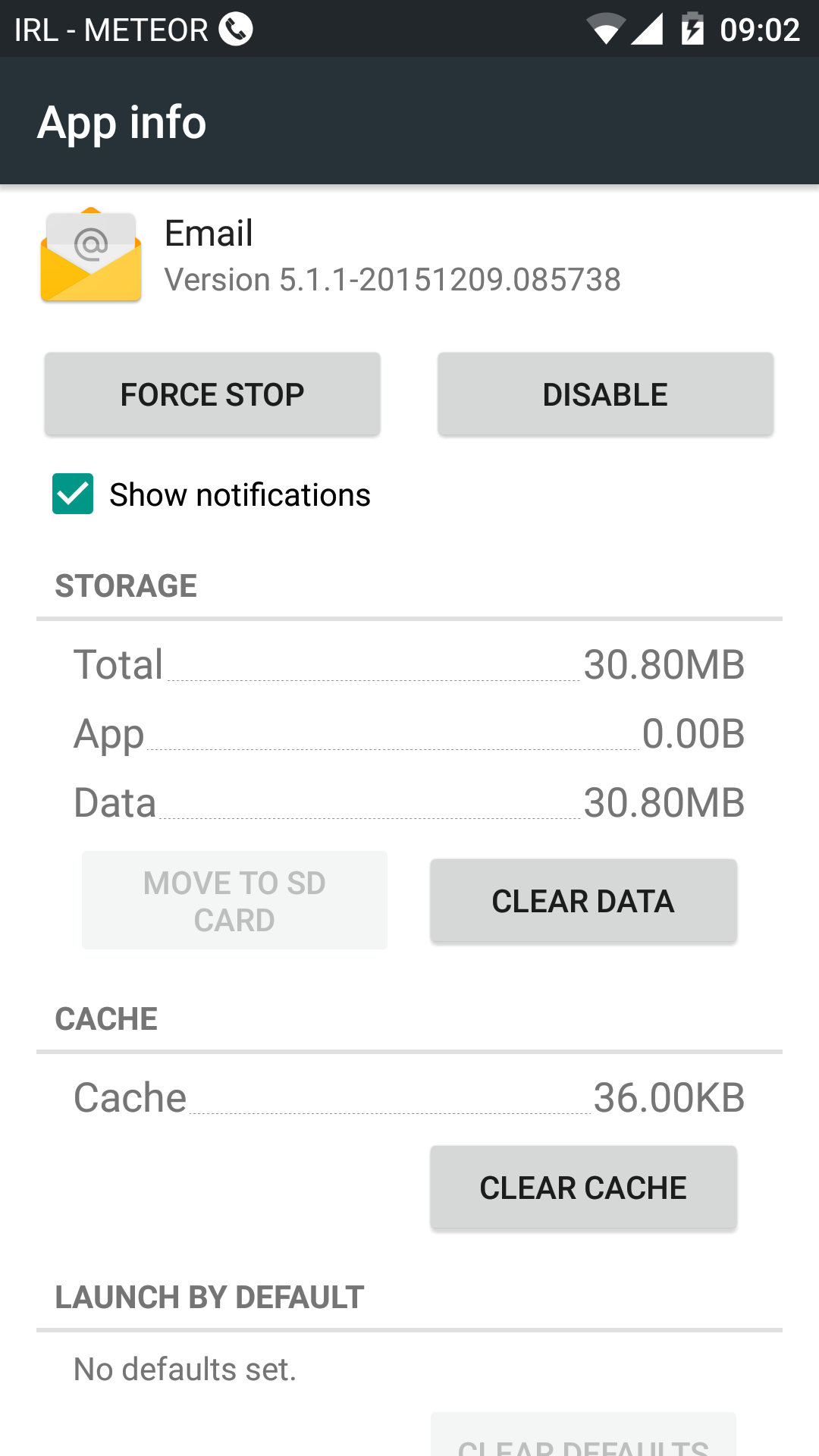
    I checked the battery monitor this morning & it had dropped about >25% in 8 hours, the email app had used 13% of that.

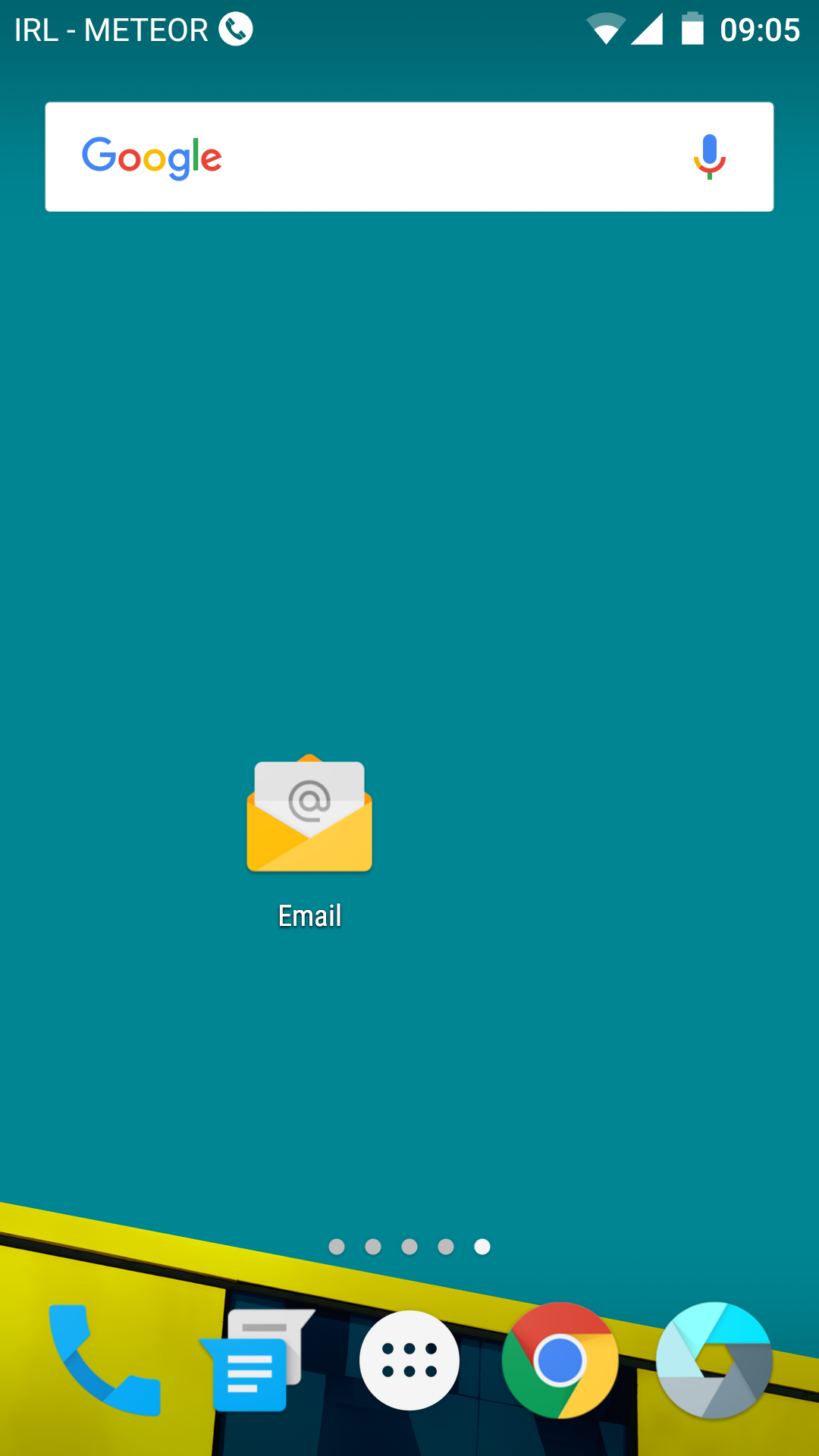
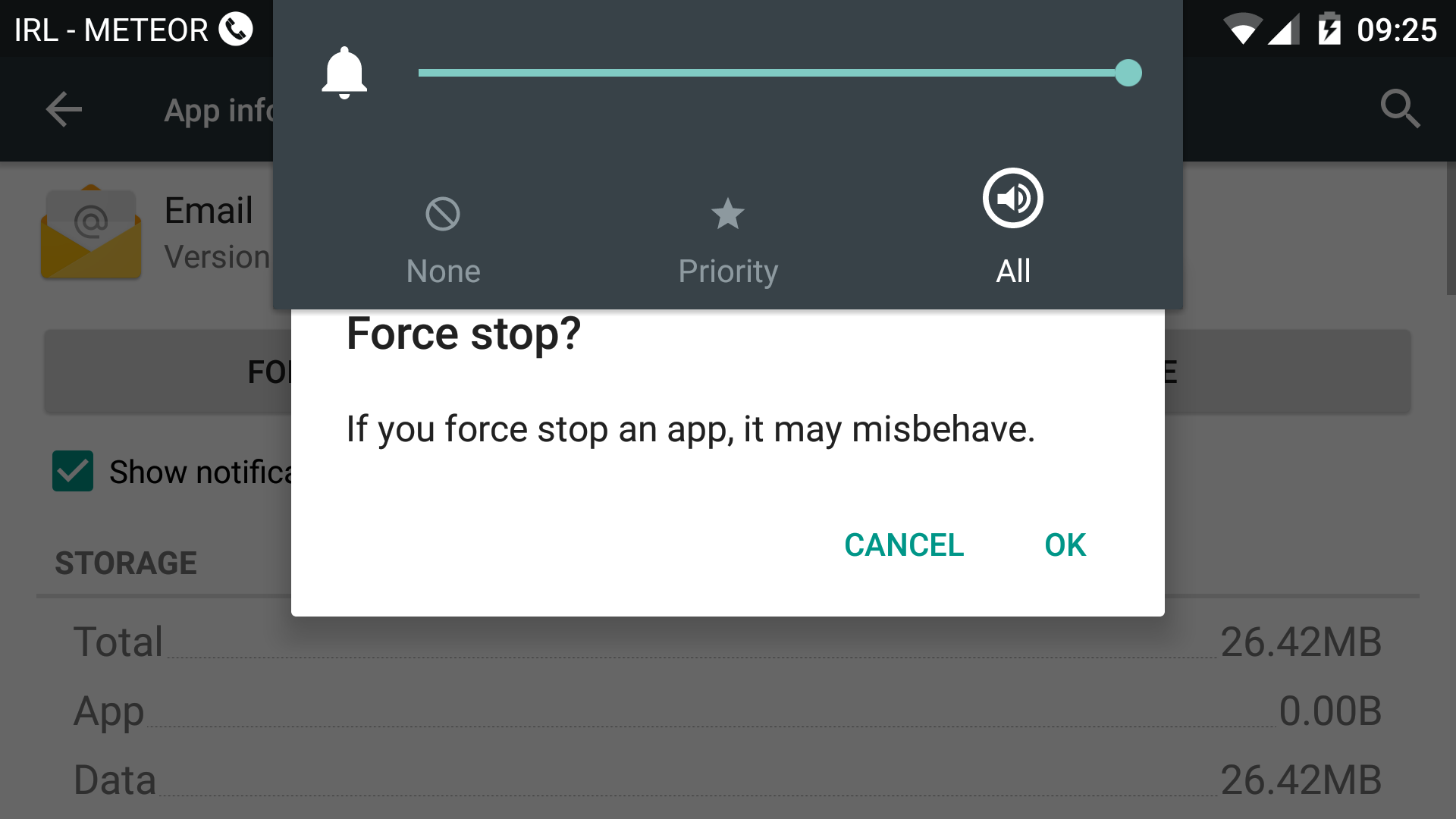
    I clicked the "Force Stop" button to see if that would help but it seems to have stopped the email app from working properly, emails are waiting in the outbox to be sent, & the wheel keeps spinning when I request an update/refresh.
    A restart & shutdown hasn't helped & neither has clearing the cache (the warning about apps not functioning correctly doesn't appear unless you go into the app :o )

    Any help appreciated.

    Screenshot_2016-05-13-09-05-45.png

    Screenshot_2016-05-13-09-02-45.png

    Screenshot_2016-05-13-09-25-40.png


Advertisement
Advertisement