Advertisement
Help Keep Boards Alive. Support us by going ad free today. See here: https://subscriptions.boards.ie/.
https://www.boards.ie/group/1878-subscribers-forum

Private Group for paid up members of Boards.ie. Join the club.
Hi all, please see this major site announcement: https://www.boards.ie/discussion/2058427594/boards-ie-2026

Lenovo T420

  • 15-04-2016 05:16PM
    #1
    Registered Users, Registered Users 2 Posts: 5,112 ✭✭✭


    Hi all,

    I have a Lenovo T420 laptop, have had it for two years in the past few weeks (six weeks or so) I noticed it gets very hot underneath where the charger is plugged in, now it gets hot even when the charger isn't plugged in.

    Yesterday and today its gotten to hot that the laptop itself slows down and I have to shut it down completely, and let it cool down, then turn it back on but within 20-30 mins its raging hot again. When it gets like this its almost too hot too touch.

    Any idea what may be wrong with it? It hasn't been dropped, sat on, had anything spilled on it etc so I'm guessing its just use?

    Would appreciate any help at all.

    Thanks. :)


Comments

  • Registered Users, Registered Users 2 Posts: 5,125 ✭✭✭mordeith


    Can you open it to clean out the fan and the fan inlet on the case itself? Also check performance manager to see what load the CPU is under.


  • Registered Users, Registered Users 2 Posts: 5,112 ✭✭✭StripedBoxers


    mordeith wrote: »
    Can you open it to clean out the fan and the fan inlet on the case itself? Also check performance manager to see what load the CPU is under.
    I wouldn't have a notion about opening it up etc. I am useless with technology.

    The CPU goes between 24% and 39%.


  • Registered Users, Registered Users 2 Posts: 6,353 ✭✭✭bonzodog2


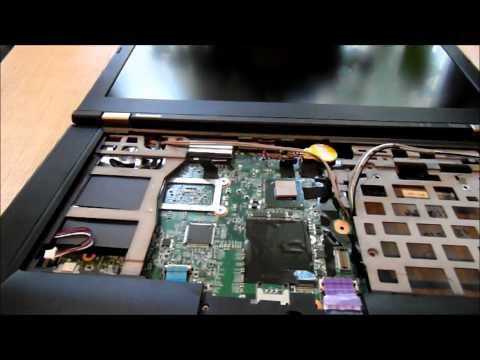
    It looks like there's a good bit of stripdown required. This video is a 420S, but I imagine its pretty similar

    An alternative is get some canned air and blow through the exit vent, but its not a great solution IMHO. Fluff collects inside this and restricts airflow.


  • Registered Users, Registered Users 2 Posts: 5,112 ✭✭✭StripedBoxers


    Thanks, yeah I saw a few videos and there does seem to be a bit to it. I contacted a local IT shop and asked how much it is to fix it and they said between €25 and €50 so I reckon I'll drop it into them this week and see.


  • Registered Users, Registered Users 2 Posts: 6,353 ✭✭✭bonzodog2


    That's not a bad price. It's not a hard job, but there are some fiddly little bits inside a laptop that are easy to break, so if you're not confident with it, a shop is a better bet, unless you have a trustable techy friend.


  • Advertisement
  • Registered Users, Registered Users 2 Posts: 5,112 ✭✭✭StripedBoxers


    bonzodog2 wrote: »
    That's not a bad price. It's not a hard job, but there are some fiddly little bits inside a laptop that are easy to break, so if you're not confident with it, a shop is a better bet, unless you have a trustable techy friend.
    Thanks, I thought it was decent enough tbh :) I wouldn't be at all confident, knowing me I'd get the laptop apart and not get it back together. I'm beyond useless with stuff like this.

    According to the shop I enquired in, it takes 90 mins from start to finish which sounds grand to me :)


Advertisement
Advertisement