Advertisement
Help Keep Boards Alive. Support us by going ad free today. See here: https://subscriptions.boards.ie/.
https://www.boards.ie/group/1878-subscribers-forum

Private Group for paid up members of Boards.ie. Join the club.
Hi all, please see this major site announcement: https://www.boards.ie/discussion/2058427594/boards-ie-2026

connesting my Wii with 480p Component AV Cable

  • 16-01-2008 05:55PM
    #1
    Registered Users, Registered Users 2 Posts: 2,735 ✭✭✭


    Hi Folks,

    Bought one of these from Deal extreme

    http://www.dealextreme.com/details.dx/sku.4256

    Connected it into the back of my tv and with a bit of fiddling and got the picture perfect, (after changing the settings on the wii to 480) but i got no sound , The 2 connections I have left are V and H on the TV

    I have a red and a white cable left, but tried both in both and still no sound.

    I am hoping its the cable is faulty, any way of testing the Tv, be gutted if the TV ports were faulty.


    Thanks

    Darren


Comments

  • Registered Users, Registered Users 2 Posts: 506 ✭✭✭Cully


    brightkane wrote: »
    I have a red and a white cable left, but tried both in both and still no sound.

    Nothings faulty. The red and white cables are your sound cables. On my TV, I had the same issue, but I found somewhere to put them and the sound worked. Turn on a game and turn up the volume enough to hear it, then go to the back of your TV and plug the red and white cables into any place. I can't remember if I had to plug my two into a scart connecter, and then into my TV or not... :/

    I think the audio thing you are looking for will be labelled "Y-Pb-Pr" or something.

    Hope this helps.


  • Registered Users, Registered Users 2 Posts: 506 ✭✭✭Cully


    Actually, no I'm wrong...

    The bits you have already connected should look like this... "Y-Pb-Pr" are the video parts.
    5100-component.jpg


    See the extra red and white bits.. does your TV have those?

    Got the Model number of your TV so we can check?


  • Registered Users, Registered Users 2 Posts: 19,088 ✭✭✭✭K.O.Kiki


    Make sure the audio cables are connected into audio-IN ports, not audio-OUT.


  • Registered Users, Registered Users 2 Posts: 2,735 ✭✭✭brightkane


    Cheers for the help

    its a Philips 37pfl7332

    I think I may have the answer, theres one small 3.5mm audio input beside the V and H. If i use a y splitter i think it will work,ie put both the red and white in through that port. I used a creative mp3 player though the port last nite when playing the wii and the music came through load and clear


  • Registered Users, Registered Users 2 Posts: 2,735 ✭✭✭brightkane


    output - have already these used up with the tv going to my dvd/surround, off to maplis in a while to get the cable


  • Advertisement
  • Closed Accounts Posts: 6,113 ✭✭✭subway


    49823.jpg

    im not sure what the white v andf h connections are.
    either use the minijack like you suggested or try the auido inputs that appears to be beside your co ax inpputs


  • Registered Users, Registered Users 2, Paid Member Posts: 586 ✭✭✭mfield


    OP, I posted this on the other thread you started, so I'll throw it up here as well! :)

    There's an 'audio in' on your TV to the left of the V & H inputs.

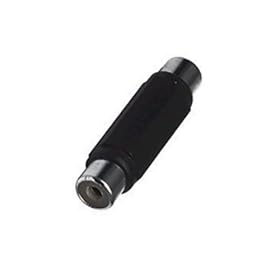
    What you will have to do is connect the left and right audio of the component cable to an audio cable such as THIS using two of these LADS

    I have a Philips TV and had to do the same thing, you'd thnk they'd put in the correct audio inputs, wouldn't ya! :mad:

    Hope this helps.


  • Registered Users, Registered Users 2 Posts: 2,735 ✭✭✭brightkane


    got the little y connector cable gadget from maplins and tried it and its working perfectly, thanks for the help folks


Advertisement
Advertisement