Advertisement
Help Keep Boards Alive. Support us by going ad free today. See here: https://subscriptions.boards.ie/.
https://www.boards.ie/group/1878-subscribers-forum

Private Group for paid up members of Boards.ie. Join the club.
Hi all, please see this major site announcement: https://www.boards.ie/discussion/2058427594/boards-ie-2026

Is there any satellite receiver with HDMI-CEC Active Source

  • 14-01-2026 05:48PM
    #1
    Registered Users, Registered Users 2 Posts: 920 ✭✭✭


    The issue is my Dad loves ITV3 and sky. So he needs 2 remotes. The home button on Sky Q auto changes to HDMI1 via HDMI-CEC Active Source.

    He has an Amiko box connected to HDMI3. To change to it he has to use the bottom left button in the sky remote to change source. Unfortunately after months of written instructions and daily phone support he just can't cope with that :-(

    I purchased a Manhatten DX box after AI indicated it had HDMI-CEC Active Source support but that was bs hallucinations. So I am returning that :-(

    I have not found a satellite box that supports HDMI-CEC Active Source like the Sky Q box does. Has anyone come across one?


Comments

  • Registered Users, Registered Users 2 Posts: 6,039 ✭✭✭swoofer


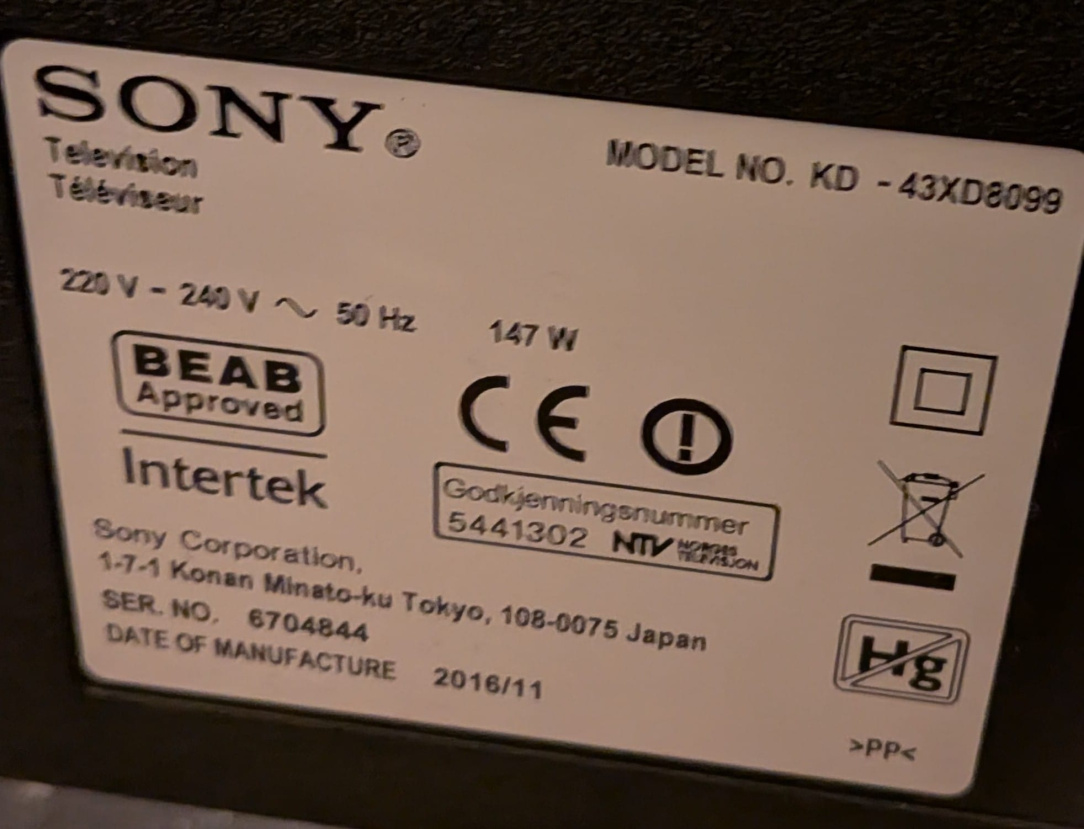
    Say the make and model of the TV and what you will find only one hdmi input supports HDMI- CEC but why has he got sky q and the amiko? ITV3HD is FTA and can be added to a sky Q box in other channels but only now and next epg.

    I have an enigma2 box and I use an image called openvix and withing the image I can turn on or off hdmi cec. The remote for the box controls the tv and if I want to use HDMI2 I use the TV remote and select HDM12 but it does not bother me. I have a few boxes and doing sod all, watching footie so will try another box on hdm2 see what I get.

    Need the tv though.


  • Registered Users, Registered Users 2 Posts: 920 ✭✭✭boardtc


    IMG-20260114-WA0003.jpg

    It was setup with other channels on sky but ITV3 was recently removed and now only ITV3+1 is available unfortunately now.

    Thanks for checking if your enigma box with openvix supports HDMI-CEC.


  • Registered Users, Registered Users 2 Posts: 6,039 ✭✭✭swoofer


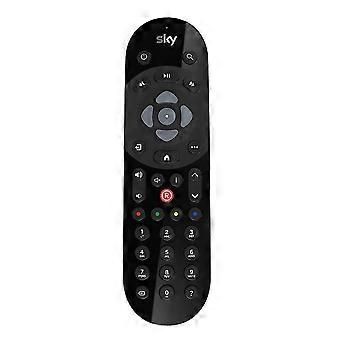
    itv3 hd is FTA, here are the details, 11344H27500 8PSK 2/3, that should work on other channels. I dont get the bit about using the botTom left button to change source. Say a bit more. That TV has 4 hdmi. The sky q remote I see has the input source at top right ie easy to see.

    https://www.bluecinetech.co.uk/sky-q-remote-and-box-buttons-explained/

    Post edited by swoofer on


  • Registered Users, Registered Users 2 Posts: 920 ✭✭✭boardtc


    Fantastic that it still can be setup on SKY. Where do you get this info for future reference when it changes again? The sources I found said it was gone. I'll try and get down to him again soon.

    In the meantime I had the idea to print out pictures of the remote and put arrows at the source button etc. We'll see if that helps over simple written instructions.

    Post edited by boardtc on


  • Registered Users, Registered Users 2 Posts: 8,258 ✭✭✭Inviere


    You can block the CEC signal by placing a piece of tape over the CEC signal pin on a hdmi cable. I've done it myself recently, as one device was screwing up the power on/off cec feature of my TV. It's pretty small to do, but works perfectly.


  • Advertisement
  • Registered Users, Registered Users 2 Posts: 6,039 ✭✭✭swoofer


    You have not explained the button used on the sky q remote, thats important. i take it you are away from your dad so cant access the remote. If he can manage the other channels on the sky q then can i take it worry over?

    Initial trials with my setup suggests it cant be done and only sky q have it. my sytem will power on on hdmi 1 and power back on hdmi one but second box source has to be used.

    Now you can get a switcher that is a piece of kit with a small remote with buttons 1,2,3 and you can have sky on 1, amiko on 2 and have one hdmi lead to hdmi one on sony TV. Button 3 will be spare. So basically sky q will turn on tv and then for the amiko press button 2 and power it on. It sounds easy but so is using a source button.

    nb you can buy a white marker pen to mark the remote button😀

    for frequency changes see the thread at top of this forum!!

    Inviere you have totally lost me, why would anyone do that, can you explain a bit better, may be the solution?

    Post edited by swoofer on


  • Registered Users, Registered Users 2 Posts: 1,573 ✭✭✭andy1249


    Pin 13 is the CEC pin.

    You can buy relatively cheap blockers rather than messing around with bits of paper.

    https://www.amazon.ie/Termination-Compatibility-EasyLink-SimpleLink-HDMI-CEC/dp/B00DL48KVI/

    You should shop around , Lindy is the " Famous " one that has been around for years , there are plenty of others.


  • Registered Users, Registered Users 2 Posts: 6,039 ✭✭✭swoofer


    I checked that TV for you and it has bravia sync cababilities but the amiko would need to have cec enabled. If you give me the exact model of the Amiko I can check it out. Basically what should happen when it is setup, is turn on Sky goes to HDMI 1 turn on Amiko goes to HDMI 3. You have to enable the TV as well.

    I have newer sony TV and just tested it with 2 enigma boxes and it works but these boxes have CEC features, using a VIX image and Openatv.


  • Registered Users, Registered Users 2 Posts: 920 ✭✭✭boardtc


    No Amiko supports CEC unfortunately, that is the reason for this thread. I don't have details of the model with me.

    On Sky Q remotes the bottom left button is the source button.

    1635689264_0340_0340.jpg

    I have no idea how blocking the CEC signal would help?

    What I need is for the Amiko remote to send the CEC signal, if you have a hack for that!!

    Great you have proved there is a box which supports CEC. I may need to get those details.

    I am unsure if adding the channels to other channels will be the result. Previously changing the source was a non issue for quite a technical man but all that understanding is gone now :-(


Advertisement
Advertisement