Advertisement
Help Keep Boards Alive. Support us by going ad free today. See here: https://subscriptions.boards.ie/.
https://www.boards.ie/group/1878-subscribers-forum

Private Group for paid up members of Boards.ie. Join the club.
Hi all, please see this major site announcement: https://www.boards.ie/discussion/2058427594/boards-ie-2026

New build Budget Gaming PC for 15 year old

2»

Comments

  • Registered Users, Registered Users 2 Posts: 588 ✭✭✭Coyler


    i see Kiki got you in the other thread. You're in good hands.


  • Registered Users, Registered Users 2 Posts: 49 alex.krycek


    Hi Qwerty,

    The parts will be arriving tomorrow hopefully. I had to get the Power Supply and Cooler from amazon everything else I got from caseking.de. They were very helpful as the cooler I chose was not available until 19th December so I emailed them to cancel that part and it was sorted within an hour, they cancelled it from the order instantly, must check if they refunded yet.

    Will keep you updated with how the build goes. I have been watching a few YouTube videos to see where all the wires from PSU go but apart from that I should be ok.


  • Moderators, Computer Games Moderators, Technology & Internet Moderators, Help & Feedback Category Moderators Posts: 26,618 CMod ✭✭✭✭Spear


    Everything should be labelled or at least keyed so you can't insert anything that shouldn't be plugged in. Don't force anything, and just proceed methodically, step by step.


  • Registered Users, Registered Users 2 Posts: 49 alex.krycek


    OK I have built it now but when I power on I don't get the bios showing on the screen.

    I tried both hdmi slots on gpu and even took it out and used the onboard hdmi on the motherboard but same outcome.

    I have a feeling its to do with how I have wired up from the psu. From the psu to motherboard I have the long connector connected and its labeled on the psu. That seems to be OK.

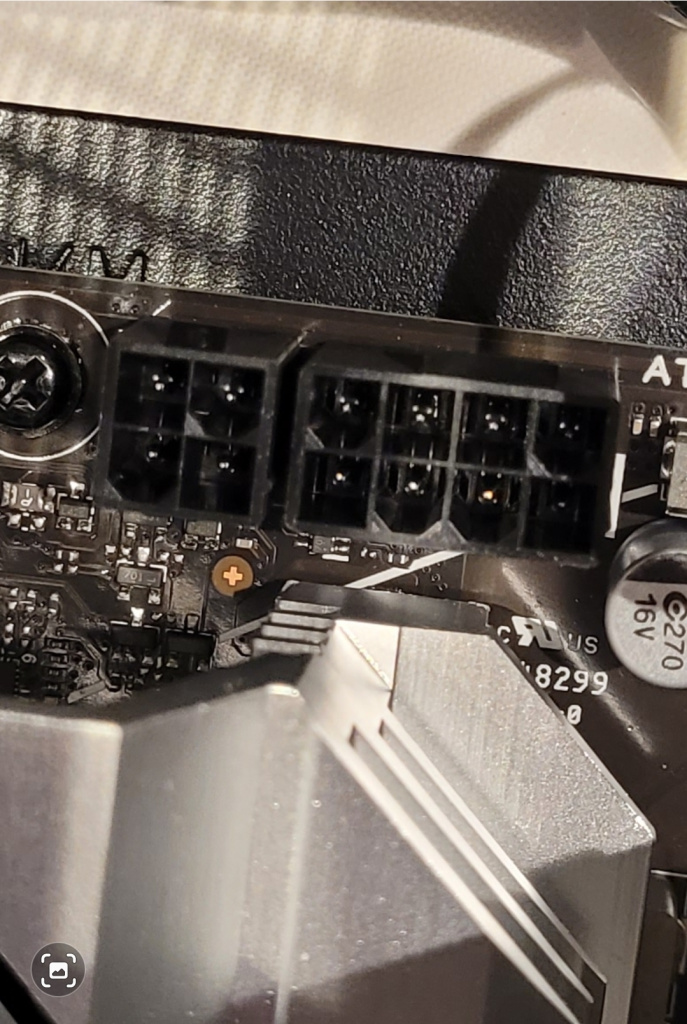
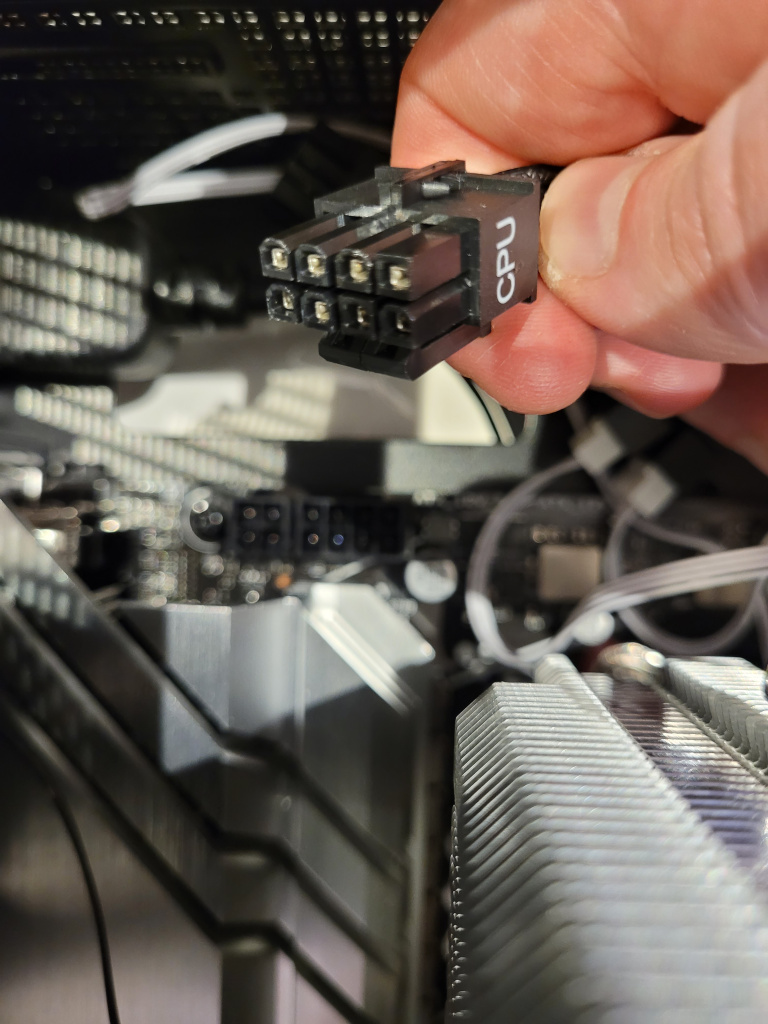
    My issue is the other cable going to the motherboard for CPU power. The motherboard has the connection below but the cable from psu has 2 blocks of 8 so the block of 4 is not getting anything.

    Screenshot_20251031_153038_Gallery.jpg

    Do I need to buy a new cable?


  • Registered Users, Registered Users 2 Posts: 49 alex.krycek


    The cable in question has 2 of these blocks.

    20251031_130529.jpg


  • Advertisement
  • Moderators, Computer Games Moderators, Technology & Internet Moderators, Help & Feedback Category Moderators Posts: 26,618 CMod ✭✭✭✭Spear


    Is there a 4 pin cable marked CPU? Or can the 8 pin split into two 4 pin blocks? What PSU model and board did you go with in the end?


  • Registered Users, Registered Users 2 Posts: 202 ✭✭Anois_


    You do not need to use the extra 4 pin. That's for highly overclocked systems.


  • Registered Users, Registered Users 2 Posts: 49 alex.krycek


    I don't think the can split into 2x 4 blocks they seem solid.

    PSU Is Corsair 650e

    Motherboard is ASUS Prime B650M-A WIFI II


  • Moderators, Computer Games Moderators, Technology & Internet Moderators, Help & Feedback Category Moderators Posts: 26,618 CMod ✭✭✭✭Spear


    That splits into two 4 pin blocks.

    But as Anois_ mentions that's only for supplemental power in most cases.


  • Registered Users, Registered Users 2 Posts: 202 ✭✭Anois_


    As I said it's not needed and not the reason it's not booting.

    On a side note is the fans and LED's coming on when you press the power button?


  • Advertisement
  • Registered Users, Registered Users 2 Posts: 49 alex.krycek


    Fan on side of case comes on

    The 2 Fans and RGB on cooler both spin and light

    The GPU Fans don't spin but the small patch of RGB lights.

    Ay ideas?


  • Moderators, Computer Games Moderators, Technology & Internet Moderators, Help & Feedback Category Moderators Posts: 26,618 CMod ✭✭✭✭Spear


    How long did you leave it? AMD systems can take a good few minutes to check their RAM timings when first powered on, or have their BIOS reset.


  • Registered Users, Registered Users 2 Posts: 49 alex.krycek


    A minute or so. Should I have left it a few minutes?

    I though bios would be near instant so thought there was an issue


  • Moderators, Computer Games Moderators, Technology & Internet Moderators, Help & Feedback Category Moderators Posts: 26,618 CMod ✭✭✭✭Spear


    Give it 5 minutes and see if it responds after that.


  • Registered Users, Registered Users 2 Posts: 49 alex.krycek


    Will try that tomorrow cheers


  • Registered Users, Registered Users 2 Posts: 2,762 ✭✭✭dan_ep82


    Always a good idea to throw up a face on pic of the mobo incase we can see something obvious.

    Keyboard light up at all?

    Updated the BIOS yeah?

    If it still fails to boot, try 1 stick of ram in A2 then the other stick, check boot. Make sure they're clicked in

    Remove NVME check boot

    Remove CPU and inspect socket pins


  • Registered Users, Registered Users 2 Posts: 19,055 ✭✭✭✭K.O.Kiki


    • First step would be update BIOS:

    2. Follow the instructions for BIOS flashback: [Motherboard] How to use USB BIOS FlashBack™? | Official Support | ASUS Global

    The BIOS file size will affect the update time. It can be completed in 8 minutes. Please do not remove the USB flash drive, unplug the power supply, turn on the power or press the CLR_CMOS button during the execution. This will cause the update to be interrupted and the system will not boot.

    3. Remove the USB stick and try to boot again

    If this does not work, try to remove 1 RAM stick at a time.


  • Registered Users, Registered Users 2 Posts: 202 ✭✭Anois_


    If none of above works. After you try booting and it won't boot. Turn off PC with the switch on PSU and then press and hold the power button for at least 30 seconds then flip the switch on PSU back to on and then turn back on the PC. It's a simple thing but can actually help.


  • Registered Users, Registered Users 2 Posts: 49 alex.krycek


    Hi guys,

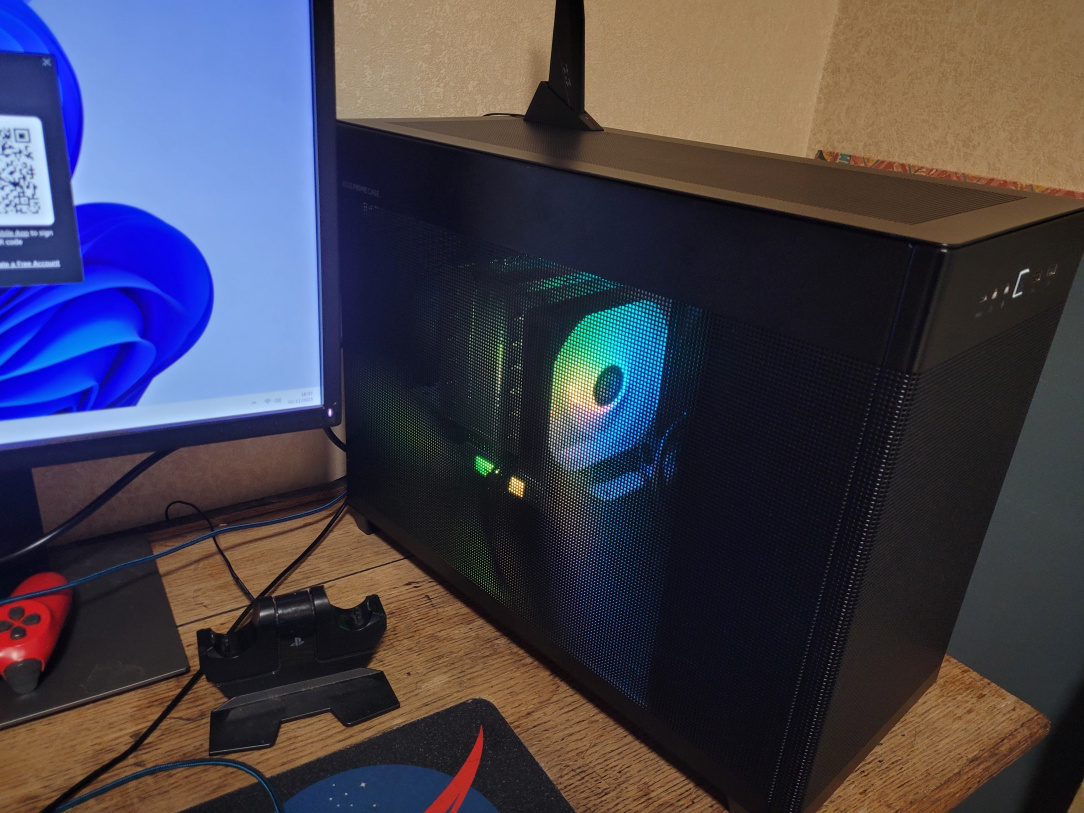
    I finally got sorted today.

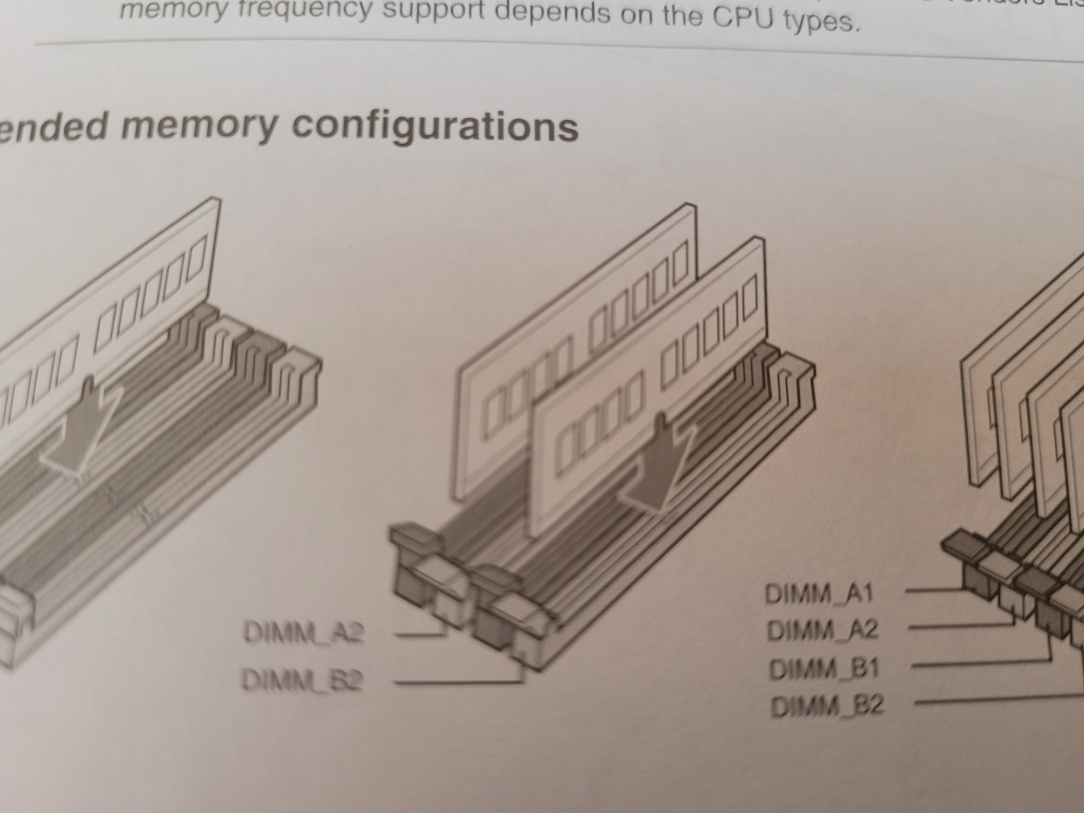
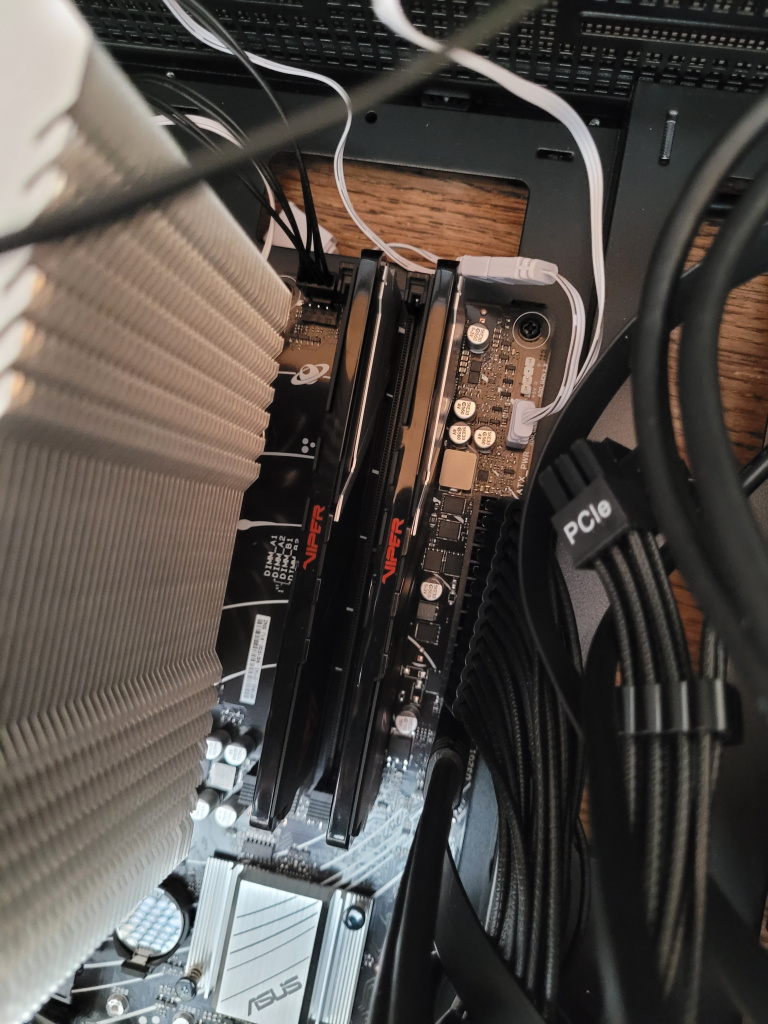
    Looks like one issue was I put the ram in the wrong 2 slots. I used 1 and 3 instead of 2 and 4. I never noticed.

    20251102_135119.jpg 20251102_114127.jpg

    Once I put them in correctly the bios screen showed after about 5 minutes.

    I had 1 usb stick with win11 on it so proceeded to install. When it came time to reboot during installation the screen went black and stayed black for about 10 mins. But eventually finished. Every time the computer rebooted afterwards it would take 5 to 10 mins.

    I then formatted the usb stick to fat 32 and put the bios update file. Once i did this it fixed that issue.

    PC is up and running now. Its so quick, like lightening, so a big thank you to everyone on this thread for all your help. I really appreciate everyones input from parts picking to answering questions and troubleshooting you have been a great help!

    20251102_163720.jpg

    Thanks again, if anyone has questions about anythingI did fire away I am happy to help!

    Alex


  • Registered Users, Registered Users 2 Posts: 19,055 ✭✭✭✭K.O.Kiki


    Nice! What's the first game you played? 😎


  • Advertisement
  • Registered Users, Registered Users 2 Posts: 49 alex.krycek


    The 15 year old had a steam account with some game called Gary's Mod or something like that. Wasn't a great looking game to be honest but he likes it. We were waiting on Grand theft auto to download. I'd say that will look much better. Plus we were connected to an old Dell monitor. He will be connecting to his TV when he brings the pc home.

    He also played Minecraft. He's happy so that's all that matters I suppose.


  • Moderators, Computer Games Moderators, Technology & Internet Moderators, Help & Feedback Category Moderators Posts: 26,618 CMod ✭✭✭✭Spear


    Did you turn on DOCP to get the RAM running at full speed, or change it manually?

    Keep an eye on the regular thread for free games:


  • Registered Users, Registered Users 2 Posts: 49 alex.krycek


    No I hadn't a clue about the bios settings so left them as they were.

    Can you give me a pointer to what settings I should have on etc?

    Thanks


  • Moderators, Computer Games Moderators, Technology & Internet Moderators, Help & Feedback Category Moderators Posts: 26,618 CMod ✭✭✭✭Spear


    in general you shouldn't need to change anything in the BIOS these days. The one exception is RAM speed. The official JEDEC standard for RAM speeds are fairly low, so XMP (Intel) and EXPO/DOCP (AMD) are used to set them to higher speed profiles. If the memory speed is set to Auto it may already be correct. You'll see the DRAM target speed on the main tab of the BIOS and confirm this.


  • Registered Users, Registered Users 2 Posts: 49 alex.krycek


    Ok cool, will check that out when I get a chance.

    Any recommendations for a monitor for this system that would utilise the hardware?

    Or any to avoid would be helpful.


  • Registered Users, Registered Users 2 Posts: 2,762 ✭✭✭dan_ep82


    Just make sure the RAM is running at 6000Mhz, it'll be on the overclock/tuner section and named EXPO or DOCP as above.

    Don't have to touch anything esle

    Budget?

    1440p 144-180hz monitor judging by the games being played would suit. If he was playing compeitive games maybe 1080p 240hz but doesn't seem to be his thing.

    Avoid cheap VA and TN panels.

    Have a look at Hardware Unboxed on Youtube, they do monitor recommendations by budget.


Advertisement