Advertisement
Help Keep Boards Alive. Support us by going ad free today. See here: https://subscriptions.boards.ie/.
https://www.boards.ie/group/1878-subscribers-forum

Private Group for paid up members of Boards.ie. Join the club.
Hi all, please see this major site announcement: https://www.boards.ie/discussion/2058427594/boards-ie-2026

Cable from monitor to laptop

  • 27-08-2025 04:24PM
    #1
    Registered Users, Registered Users 2 Posts: 4


    Hi all,
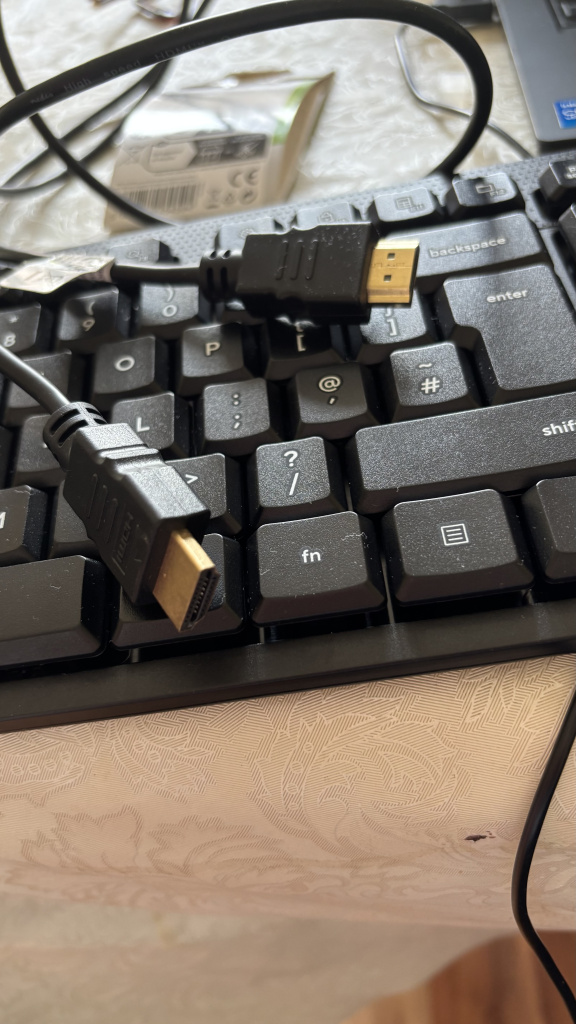
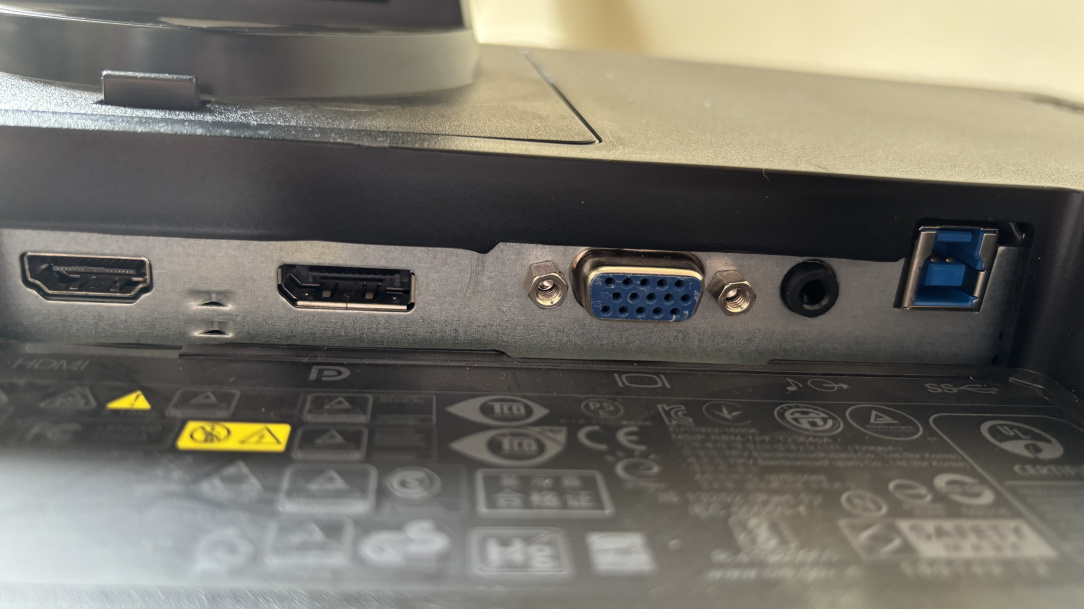
    Sorry i’m not very technical so hoping someone can assist. Supposed to start remote working tomorrow but need to use a monitor which i have from my company but the hdmi cable i have doesn’t connect. Anyone advise what cable i should be using or can i get a connector that slots in the back of monitor for hdmi cable i have? Thanks

    IMG_7450.jpeg IMG_7451.jpeg


Comments

  • Moderators, Computer Games Moderators, Technology & Internet Moderators, Help & Feedback Category Moderators Posts: 26,945 CMod ✭✭✭✭Spear


    You have HDMI, Display Port and VGA there on the monitor from left to right.

    And you have an HDMI to HDMI cable, so it should just be a case of plugging it onto the HDMI port on the left.

    Does the cable not give any image when connected?


  • Registered Users, Registered Users 2 Posts: 2,750 ✭✭✭Lewis_Benson


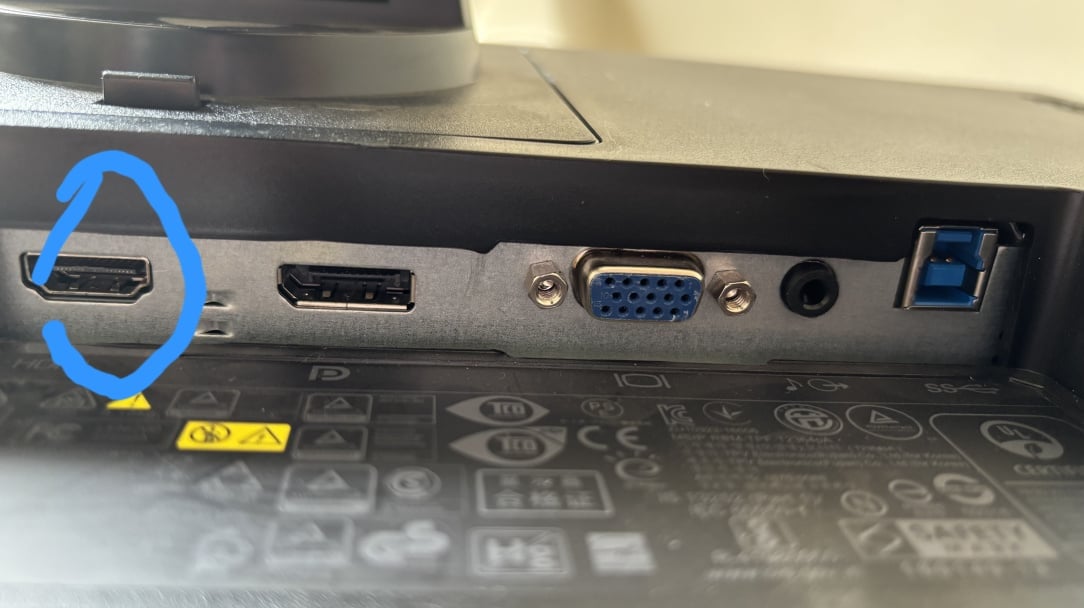
    1000015575.jpg

    I've circled the hdmi port on your monitor.

    When you connect the cable, you'll need to change your display settings to extend the screen onto the monitor.


  • Registered Users, Registered Users 2 Posts: 7,479 ✭✭✭Cordell


    What do you mean doesn't connect? Can you plug it in on both monitor and laptop, but doesn't work; or you can't plug it on your laptop because it doesn't have any matching connector?


  • Registered Users, Registered Users 2 Posts: 4 vero1978


    thank you!!!! I m hopeless when it comes to technology!


  • Registered Users, Registered Users 2 Posts: 4 vero1978


    thank you, appreciate it so much!


  • Advertisement
  • Registered Users, Registered Users 2 Posts: 4 vero1978


    thank you so much!


Advertisement
Advertisement