Advertisement
Help Keep Boards Alive. Support us by going ad free today. See here: https://subscriptions.boards.ie/.
https://www.boards.ie/group/1878-subscribers-forum

Private Group for paid up members of Boards.ie. Join the club.
Hi all, please see this major site announcement: https://www.boards.ie/discussion/2058427594/boards-ie-2026

Vodafone Gigabit App Features

  • 09-12-2024 03:23PM
    #1
    Registered Users, Registered Users 2 Posts: 16


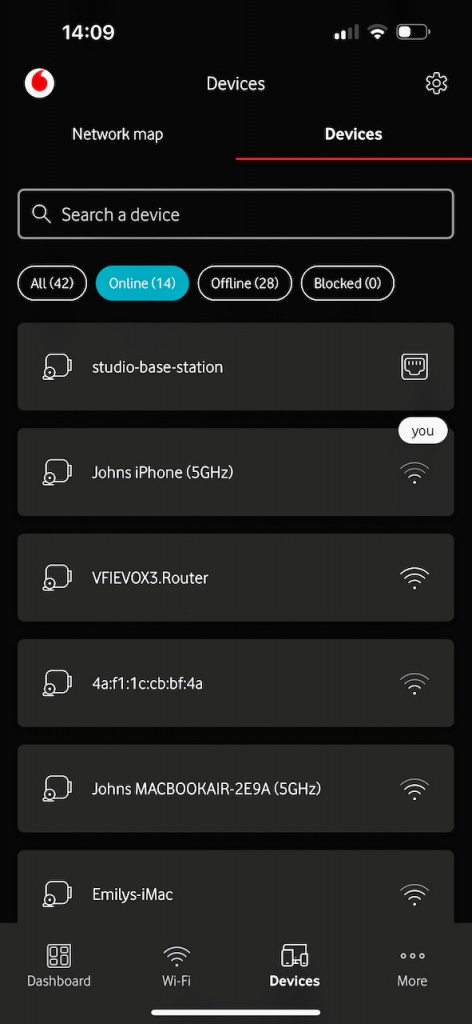
    I’ve been using Vodafone’s Gigabit broadband for a while now without any major issues. Yesterday, I decided to try their app after being told it offered more features than accessing the router’s IP from a laptop. My main goal was to log all the devices on our home network and disable Wi-Fi access to the kids' iPads at bedtime. After some effort, I managed to identify the various iPads and phones and view them all in the app while they were online. So far, so good.

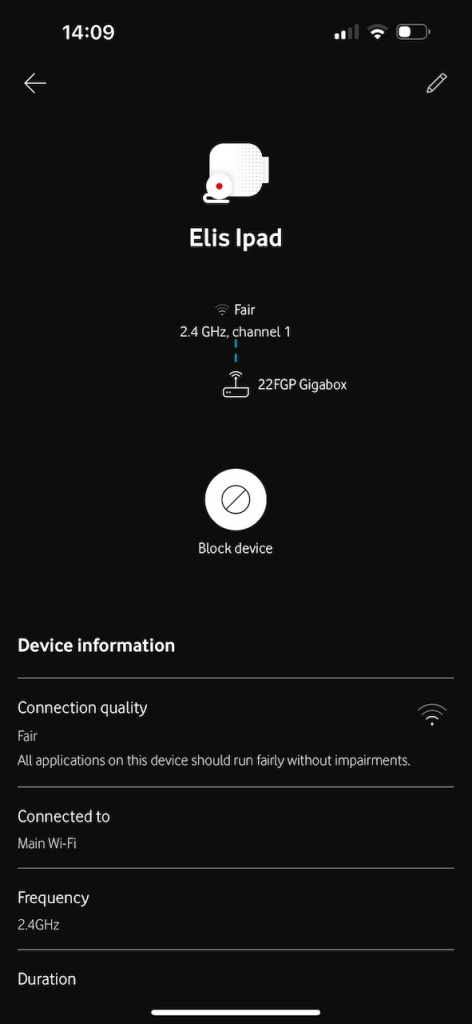
    However, when I attempted to block one of the iPads and a few phones, it didn’t work. The devices still had internet access, and nothing appeared in the “blocked” category. I contacted Vodafone support to figure out what I was doing wrong. Eventually, I was informed that I’d need to purchase an add-on called Secure Net for this feature to work. Supposedly, this add-on would allow me to block individual devices through the Secure Net app and the Gigabox app. While it sounded odd, I went ahead and purchased it since it seemed to be the only option.

    I was able to log into the Secure Net app and set up a profile for my 14-year-old son, but no devices appeared in the app. I was still connected to support when trying this. The representative said she’d investigate the issue and get back to me in a few hours. That’s where I’m at now.

    My questions are:

    1. Has anyone else been asked to buy add-ons to access features in the Gigabox app?
    2. Has anyone successfully used the app to block individual devices from Wi-Fi?

    I would have expected a pop-up in the app saying something like, “Purchase an add-on to enable this feature,” but instead, the app gives the impression that it should work out of the box.

    I’ll attach screenshots of the following:

    1. The device list in the Gigabox app
    2. The device page for “Eli’s iPad”
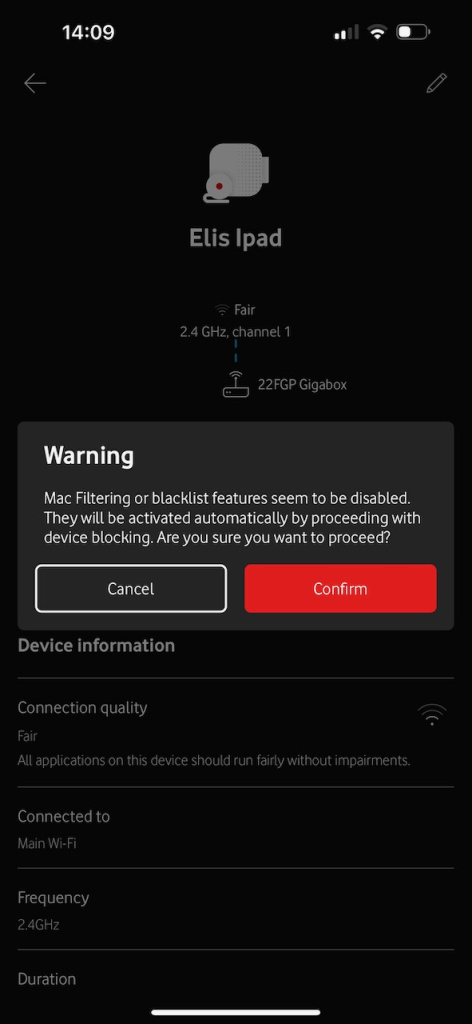
    3. The warning message I receive after clicking the “block” button

    As I’ve explained, the device remains online despite following these steps.


Comments

Advertisement
Advertisement