Inviere wrote: » Just so as not to derail a different thread, Doge asked for my Retroarch scanline settings. Bare in mind, different scanline settings/presets will look different at different resolutions. I use my tv, which is 1080p...the settings and presets below are designed for 1080p panels. If using different resolutions, the below won't look correct Retroarch 1.7.0 (I don't 'use' Retroarch in itself, it's all set up to be run under Launchbox which is much prettier): Shader passes - x2 Shader #0 = 4xbr-hybrid-crt.glsl Shader #0 filter = nearest Shader #0 scale = 4x Shader #1 = stock.glsl Shader #1 filter = linear Shader #1 scale = don't care Launchbox: The image above still isn't an exact representation of what I see on screen natively, as it's been resized for embedding, which messes with the final result. The scanlines above will likely look HUGE in the image if you're sitting beside a pc screen viewing it. On the tv though, when sitting a few feet away, they look really nice.
wheresmahbombs wrote: » I thought that was a real Neo Geo Pocket Color for a moment.
o1s1n wrote: » Here ya go;https://www.boards.ie/vbulletin/showpost.php?p=88953770&postcount=111
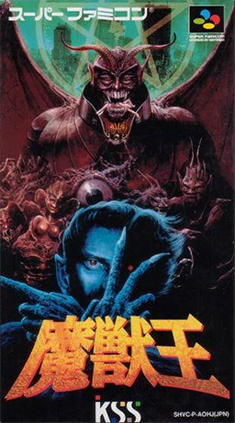
Retr0gamer wrote: » Columbus circle are doing an official reprint of King of Demons for super famicom coming in April. It's a fantastic game..... but not worth the insane money I spent on it.
Nerdkiller1991 wrote: » Uses non-Mega Drive game covers...
Doge wrote: » Awesome work Inviere. Thanks a lot!
Shapey Fiend wrote: » Also I notice my Retropie setup on a Raspberry Pi 2 is really laggy controls wise. The SNES emulation seems a bit slow too. Stuff like Yoshiis Island really chugs. Worth going with a Pi3 to solve this or do I just have too much on my SD card or something?
Inviere wrote: » Shader passes - x2 Shader #0 = 4xbr-hybrid-crt.glsl Shader #0 filter = nearest Shader #0 scale = 4x Shader #1 = stock.glsl Shader #1 filter = linear Shader #1 scale = don't care Launchbox:
Doge wrote: » I think the scanlines look nice but there is a bit too much filtering for my liking making the edges of the text and sprite look too smooth. Of course this is all down to personal preference.
BDJW wrote: » For those who do emulate, what do you think is the most fit for purpose machine?
Doge wrote: » Just gave this a go in RetroArch but with the 4xb-hybrid-crt.cg and stock.cg files because the glsl files were not listed. I think the scanlines look nice but there is a bit too much filtering for my liking making the edges of the text and sprite look too smooth. Of course this is all down to personal preference.
I might try that new crt shader you were talking about and Steve SIs config file with Mame next.
Doge wrote: » Just gave this a go in RetroArch but with the 4xb-hybrid-crt.cg and stock.cg files because the glsl files were not listed.
Inviere wrote: » You're running 1080p yeah? Also, the glsl files are apparently the way to go...I wonder why they aren't showing for you? You using Retroarch on pc?
Doge wrote: » I wonder should we start a CRT Emulation Thread to keep all the info tidy in one place?
Doge wrote: » What im really looking for is something that emulates an Arcade Monitor pretty well. Heres some RetroArch Shader presets I've been trying out, in alphabetical order with the last my favourite
Doge wrote: » And got this:




![Photo of [Deleted User]](https://w5.vanillicon.com/v2/57bd887e22fe93b182726d8909e4e745.svg)


