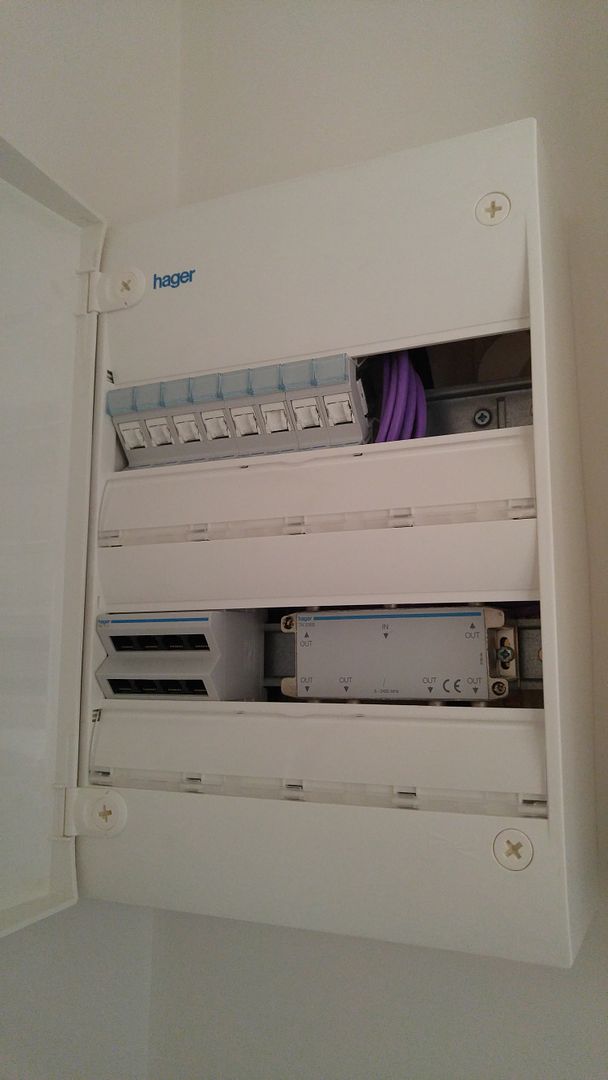
air wrote: » Are all the cables terminated in a patch panel? You'll need to post a few pics. It would have been better if he had installed the router near the patch panel.
matzen wrote: » Bought a newly built house and it has ethernet ports in every room, except the bathrooms. I spoke with the builder's electrician who said it is set up so to avoid relying on wifi for all devices, which makes sense. I assume the method is to plug a router into the hub that joins all the ports. That hub is in a utility room off the kitchen. I had a Sky engineer out to install a router and showed him the hub but he had no clue how to set up the router to it, so he just installed the router as usual near the Sky box in the sitting room. But I still like the idea of being able to plug in devices into the ethernet ports. Any idea how to get it working? Perhaps get another engineer out?
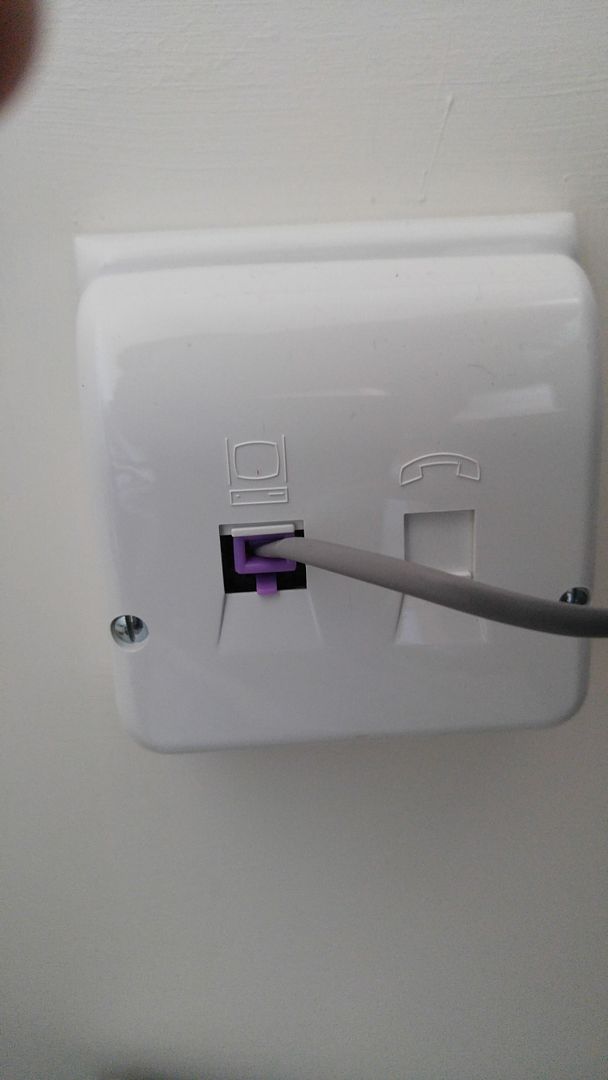
Jack Killian wrote: » Ethernet ports will connect in "either direction", so the biggest question is where your Internet connection is. I'm guessing it's near the hub, if the house is wired sensibly ? If so, you could just unplug the Sky router from where it is, and plug its CAT5 / CAT6 LAN cable into your patch panel, while connecting the router to the phone line/internet connection; any other devices connected to the patch panel will "find" the connected router. What's confusing me is how the router is currently doing anything if it's not connected / in a different room to the 'phone line ? Do you have Internet access ? If not then he didn't "install" anything; if the first pic is of the Sky router plugged into the wall then there seems to be no cable into the phone socket!
matzen wrote: » Sky router is connected. The ethernet cable shown in the photo goes into the router. The engineer couldn't attached it to the hub as that little 'hump' in the photo with the cable had to be set up. Currently we use wifi but have a wifi extender set up as the signal from the router is ****e..
galljga1 wrote: Its hard to give exact advice without seeing how the house is wired but I would say you connect the router to the closest ethernet point going back to the hub. The Sky "engineer" should get a kick in the arse.
Sleeper12 wrote: » In fairness to the sky engineer they usually have to set everything up a certain way. Sky can guarantee that their set up will work but they have no idea if the hub will work. I install showers. Let's say I fit a triton t90z & the homeowner has a fancy shower head they want to use. I have to use the triton shower head. I can show the homeowner how to swap heads after I leave but I can't sign off on an unknown being attached to the shower. I know how stupid that can sound.
TheChizler wrote: » The first picture shows the sky box connected to the phone line via a wall filter. OP can you see what the purple wires are connected to in the hub?
Jack Killian wrote: » TheChizler wrote: » The first picture shows the sky box connected to the phone line via a wall filter. OP can you see what the purple wires are connected to in the hub? It does ? I'm missing a few pics so (on mobile) because all I see as a first pic is a LAN cable connected to the port clearly labelled with a computer, and the phone line socket is empty.
TheChizler wrote: » That's a phone cable plugged into a wall plate with built in phone/broadband filter.
Jack Killian wrote: » An Ethernet cable won't give you an Internet connection though ? The Sky router needs a 'phone line ? So a single Ethernet cable from the wall to the router won't give you Internet. Do you have Internet access and are all 3 lights in the front of the Sky router connected ? PM me if you want and I'll try to make sense of it.
matzen wrote: » Full Internet access albeit slow as it's not fibre. This is not an issue on whether or not there's Internet access, it's more concerning limiting the dependence on wifi. Hope it makes sense now.
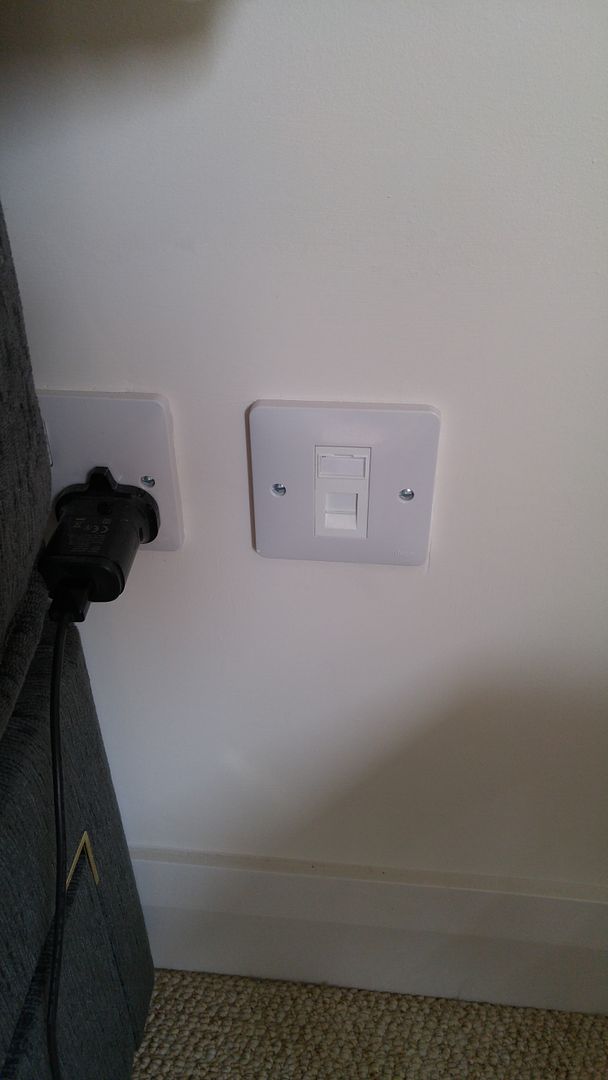
Jack Killian wrote: » You need to check if there are one or more LAN ports near the TV / Sky box / Sky router; if so, then connect the Sky box to that using a LAN / CAT5 cable; the installer may have connected it to the Sky router - if so just plug it out from that and then plug it into the LAN port in the wall. Also, how many other connections are in different rooms that you will need, as the Sky router should have 4; if you need more then that's why you'd need that Amazon switch. If 4 is enough (even temporarily) you can move the Sky router into the utility room with your hub and identify the 4 rooms that are connected via the hub, and "pair" those to the 4 on the hub to the 4 on the Sky router with short ("patch") cables. Just remember that you will also need to find a phone line connection in there, to connect the router's cable that I misidentified earlier to that. Think of the hub as the "other end" of what's in the wall; if you can get from that to a port on the Sky router, and get the Sky router connected to a phone socket in the utility room, then you're sorted. If you need more than 4 connections, the switch acts the same as an extension lead/gang socket where you don't have enough plugs.
matzen wrote: » What's the difference between a Sky box and a Sky router? The engineer only put in one router which is also called the Sky box. I take it that is the one to connect to the hub? And then use ethernet cables to all other appliances that need Internet connection - these appliances will be connected to the ethernet ports in the walls.
Jack Killian wrote: » Sky Box = the actual satellite receiver with the remote. Sky router = the small rectangular / almost cube internet box. Unless he's installed the new Sky Q box ?
TheChizler wrote: » Simplest thing to do is get that router and 8 short patch cables. https://www.amazon.co.uk/gp/aw/d/B0002AFOJK/ref=mp_s_a_1_4?qid=1465220536&sr=1-4&pi=AC_SX236_SY340_FMwebp_QL65&dpPl=1&dpID=319YEV6E9KL&ref=plSrch Install the switch next to (or preferably in) the hub in your utility and connect its 8 ethernet ports to the 8 terminals in the hub. Connect one port on the Sky router (Internet box) to the nearest wall ethernet port, and then all wall points in the house will be connected so the broadband.
matzen wrote: » Thanks, but the nearest ethernet point is too far so it would mean pulling a very long cable through the house which I'd like to avoid.
matzen wrote: » Ok, got it. Yes, the Sky box is next to a LAN Port but not sure why it needs to be connected to it. Works fine now without being connected.
TheChizler wrote: » Ah. Unfortunately the only way to make use of the ports already in the house is either to bring a cable through the house or move the router. Actually you could potentially get powerline plugs to bridge the distance between the router and wall port/hub. They can be pricy though and it's not as clean as I'd like.



![Photo of [Deleted User]](https://wb.vanillicon.com/v2/b6984b3dff155c34b5a9498bb42f9c13.svg)


