Rambo wrote: » I did that no change
Kristopherus wrote: » Does anyone find that Google Maps, especially Street View, is very sluggish in Windows 10?
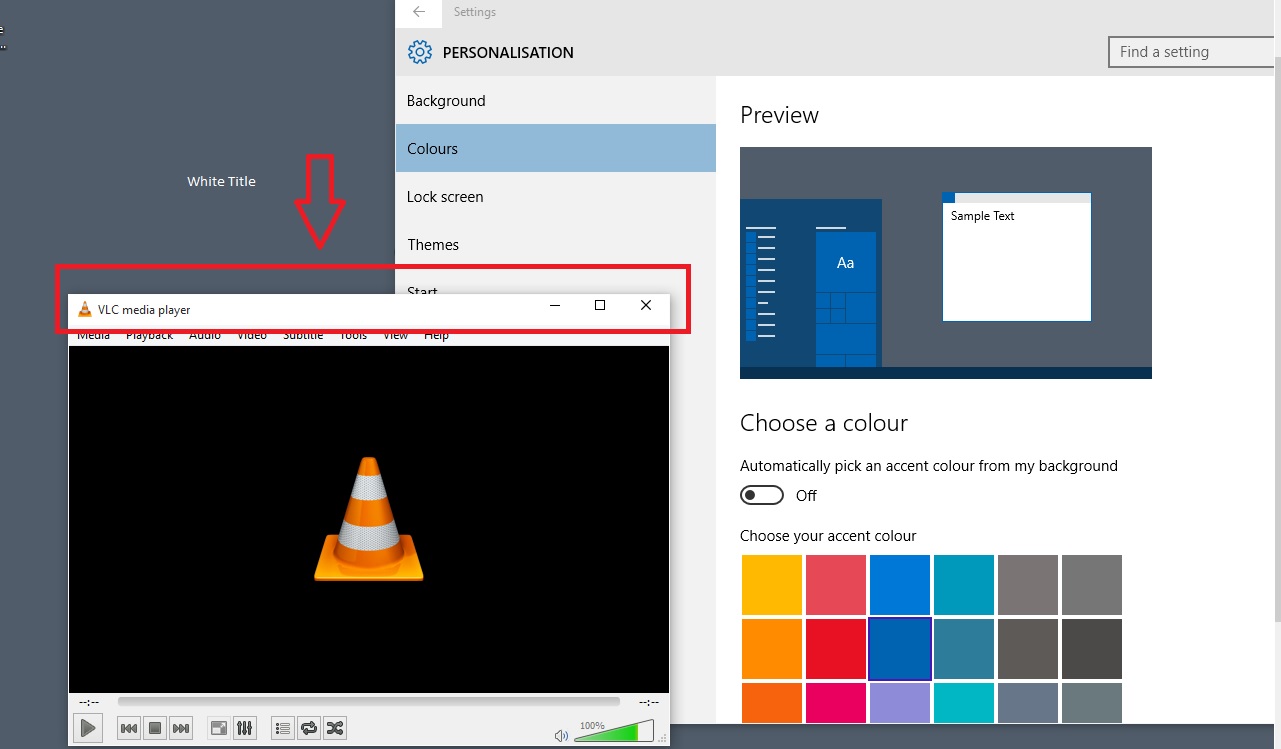
CatInABox wrote: » Are you talking about the permanent white bar at the top of every app? It's annoying, but also place holder I think, they're slowly working on bringing everything into the theme of Win 10, jumplists were the most recent. The accent colours affect things like the colour of the buttons in the notification centre.
Rambo wrote: » yes
TiGeR KiNgS wrote: » It is for the full release and is not a trial. Wont download or install until the release is available.
Fysh wrote: » I uninstalled that update in annoyance after discovering that entering your details isn't enough to make it shut up and go away. Given how many posts I found with people moaning about it, I think it was a silly move on Microsoft's part not to at least have a "Leave me alone"-type checkbox on it.
Bayberry wrote: » Click the little upward triangle to the right of the notification area, click Customize, and select "Only show notifications" for GWX/Widows 10. It'll still be there, ready to do whatever it needs to do, but it won't be displayed in the Notifications area until there's something to notify you about.
Fysh wrote: » I appreciate the suggestion, but I'm not using it - I always have everything in the notification area visible, particularly on the tablet where having crud running in the background results in battery loss. I still don't understand why MS think it's a win for me to have to put up with some stupid nagware that not only runs in the system tray for no reason after doing what it wants me to do, but also re-starts itself on a regular basis if I kill it. MS know their release date, I don't see why they couldn't have just scheduled the damn thing to go dormant after I signed up, rather than sitting there annoying me. But anyway. I've uninstalled KB3035583 and hidden it in WU; I'll unhide it on the relevant devices as and when I'm happy to upgrade them to Win10.
DareGod wrote: » Can anyone tell me how do I update to the latest build? I can't figure it out. I've just installed 10074. Also, when I first installed it, I was able to access "This PC" but now I can't find it when I search. Any ideas?
5uspect wrote: » You have to change your updates to the fast release cycle. This means you get less stable build tho! "This PC" is the same as My Computer or what ever MS decide to call it. You can select it from the Start menu, the explorer side bar or simply hold down the windows key and pressing E. They also allow you to open new windows here too.
Overheal wrote: » I have Win10 preview on my machines, is it not going to let me reserve my license?
5uspect wrote: » You have to change your updates to the fast release cycle. This means you get less stable build tho!
DareGod wrote: » Thanks! I have now updated to the lastest Build. However, I can't find Boot Camp Control Panel anywhere. It's nowhere to be found, and now I can't change settings such as trackpad settings (I'm using a Mac) and now I can't right-click. Any idea why Boot Camp Control Panel is not showing up anywhere for me? It's not showing up when I search, it's not in System Configuration or This PC and it's not in the icon tray in the bottom corner. I also tried "Show All Icons" but it's not listed there either.
Rambo wrote: » Installed windows 10 Preview on laptop. graphics driver is given problems Mobile Intel(R) 945 Express Chipset Family tried the windows 7/8 32bit driver almost blue screen the laptop looked on net no supported driver for graphics card this makes the start menu really slow I guess people who are using this graphics card with older laptops will be in trouble with windows 10 anybody else notice this? installed this on second drive so no problem in going back to windows 7
Fysh wrote: » Sounds like you need to reinstall the Boot Camp drivers package. If you don't have the file you can recreate it using the Boot Camp Assistant in OS X. Hold Option when powering on and you'll get a screen where you can select OS X instead of Windows as the OS to boot.
DareGod wrote: » I did that already Thanks for the suggestion though.
Interested Observer wrote: » I've gotten the technical preview and everything seems to be working fine, except I can't drag and drop icons that are on my desktop. It just won't let me. I can do it from folders and the likes. Anyone encountered this and know how to fix it?
Slutmonkey57b wrote: » I installed the latest build yesterday.




![Photo of [Deleted User]](https://w4.vanillicon.com/v2/466401cd19c9456f42bab76885725388.svg)

![Photo of [Deleted User]](https://wd.vanillicon.com/v2/dd23f423fe14831a2a84d9f17c825ecc.svg)


