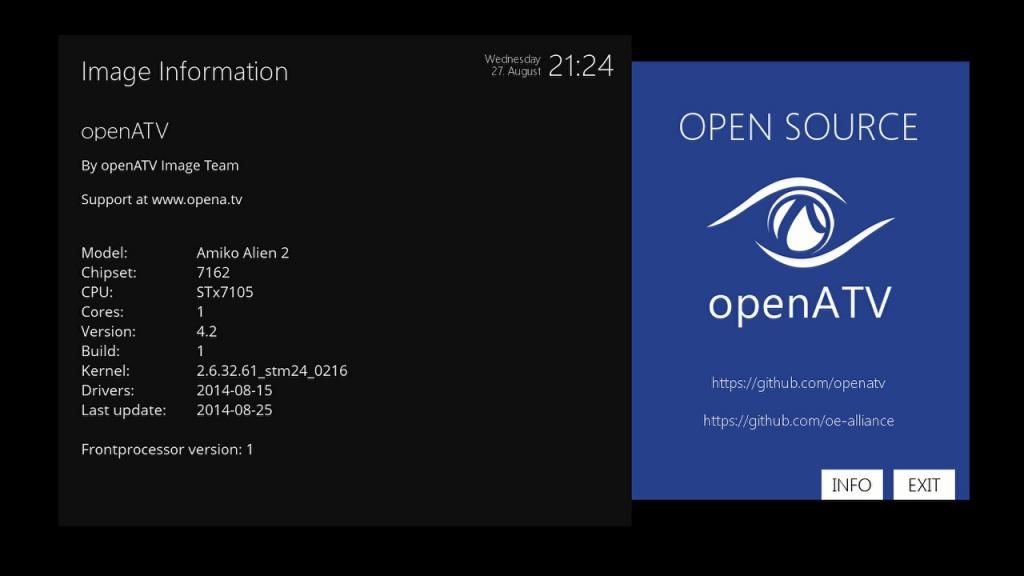
givecredit wrote: » BETA OpenATV 4.2 backup Image for Amiko Alien2, Golden Media Triplex and other ST7162 Below is a link to my new OpenATV 4.2 based Complete Image - for the Amiko Alien2, Golden Media Triplex and other ST7162 Based Boxes. Build with OE-A 2.2 many many more Plugins complete identical Linux and folder structure like all mipsel boxes online Update system via IPK like all mipsel Boxes rework drivers less e2 hacks needed Full Feature openATV 4.2 Image Full Online Feed all Source are open Source for all every can build where own image thanks to all SH4 Developer thanks to Duckbox-Developer thanks to TDT Duckbox Team thanks to Project magpie and all plugin devs Enjoy! This image is working with the following: AutoBouquets 21st August 2014 version (All unwanted channels removed) CrossEPG 0.8.1 Alternate softcam Manager Ondemand Full Version (Smart dns required for BBC and ITV player) Now includes TV3 player Rats Satellite Picons TSMedia 7.5 rte player oscam And Much More! Installation instructions 1. Unplug USB Stick from back of receiver. 2. Turn Off receiver using toggle switch at back left side. 3. Open front flap. (from top) 4. Insert memory stick with new software in front USB port to right of receiver 5. Press ok button on front panel, turn on receiver at back switch, keep ok button pressed. Wait to see Forc on front display. Release ok button and press the p+ button on front panel until you see SPAR then press ok button again. 6. Box will bootup in spark. 7. Press menu on remote and go to plugin, select. go to E2upgrade.If icon on screen to right of E2upgrade is already green go straight to step 8 below, if it not green press ok, plugin will start. 8 Press red again, "upgrade path/storage/c/ will appear. press ok and select "back_of_E2" 9.Press red again. 10. Box will upgrade. When finished (takes about 2 mins) it will say success and return to "upgrade path" 11. Exit out of menu. 12. Turn off receiver using switch at back, remove front USB stick and reinsert back usb stick. 13. Press ok button on front panel. 14. Turn on box using switch at back, keeping ok button pressed. 15. When you see FORC on front display release ok button and press p- button, until you see ENIG 16 Press OK button. Box will reboot and you have upgraded software. Link here :https://www.dropbox.com/s/kqanomrt5xw6xd5/back_of_e2atv4.2.zip?dl=0
thunda wrote: » Ok that sound's like a good idea. Never used dreamboxedit but I'll give it a bash anyway thanks. Got freshpots image on the now but can't fill the EPG I will try openATV again then do as you said.
thunda wrote: » So i can make my own boquets with this and have like a sports,entertainment,kids,movies etc. the open atv one you linked to I didnt have much luck with yesterday but i'll try again.
thunda wrote: » That would be great to try that . I'm in scotland will i need to re-scan or do anything with change of area .
thunda wrote: » Thanks I'll try that I've not got an airiel so don't use the terrestial if that's what that means. How do you do back up in dreambox I couldn't see that option ?
thunda wrote: » Every Image that I install and run AB there is always 2 or 3 channels with no picture/signal So I then do a full channel scan and all is good but the channel list is all messed up on EPG so I then run AB for my area and then run CrossEPG which works but then the 2 or 3 channel's are back to having no picture . So i have channels without a picture/signal so I do full scan, Do I do a full scan on both tuners and what should the setting be? After I do a full scan what's the next step so that I get all the channels back in order without losing any again?
givecredit wrote: » What are the 3 channels that are giving you trouble? Using dreamboxedit to fix 3 channels is a bit over the top. Just run autobouquets for your scottish region. Then find the 3 channels from the full scan you done already. (Press up arrow, Press green, This gives you full channel list, select your 3 channels from here and add to your favourites bouquet.) Job done!
amd64 wrote: » Can anyone help with this,I finally got my hdd working with my AA2,but only now noticed that while I was recording I could not view certain channels,tuner C not working,changed the cables around and even tried just with one cable connected to that tuner to confirmed it was tuner C and all I got was "tune fail",but when I rebooted from E2 hyperionV4 back to the spark image both tuners work fine.I have rechecked my config in E2 (tuner B set to Astra and tuner c set to same as .Anyone any ideas ??
lsjmhar wrote: » Hi Does anyone know how to connect iPad to openatv 4.2 on the amiko alien 2. I saw a video where the person had opened iPad through TV screen. Thanks Lee
Kenny Powers wrote: » Is there any alternative to CROSSEPG? on every image I tried this will not load after a reboot and it brings the box to a halt, Without it the box fly's along no issues at all.
same ol sh1te wrote: » CrossEPG needs to be saving to USB, not internal flash
Kenny Powers wrote: » It is saving to the USB I checked all settings and the epg.dat and all folders are on the HD
Kenny Powers wrote: » Is there any alternative to CROSSEPG