Username99 wrote: » Well I do not know much about these but I have decided to get one and play around with it. Any suggestions for a newbie to the 'pi' scene?
Interceptor wrote: » Start here. Buy from the Pi Hut on eBay and get the Pi plus the power supply, preloaded SD card and cables. Stick on a mouse and keyboard and away you go. 'c
don630 wrote: » How are getting on with the raspberry pi?
Iderown wrote: » Anyway, hope to visit Maplin today for the Raspberry Pi parts.
longhalloween wrote: » Don't forget your credit card
Iderown wrote: » Haha - indeed. Just like when we have to buy new printer ink cartridges. Got the Maplin basic Pi kit and got it functioning. Only have old TV type monitor here so the graphics resolution is not the best. I'm going to have to spend some time learning the Pi programming language.
syklops wrote: » What's the Pi programming language?
ozmo wrote: » They seem to suggest Python - they provide python libraries to get at most the pi functions like the io pins etc. But its a PC so can be anything you like - DotNet (C#) I think might be worth a shot - its a nicer language imo than Python (link).
syklops wrote: » Thats kind of what I was getting at. The Raspberry Pi is optimised for Linux. There is no Pi language. That said I would strongly advise against the use of C#. It can be done with the use of Mono, but there are much easier ways to achieve what you want to do. What do you want to do?
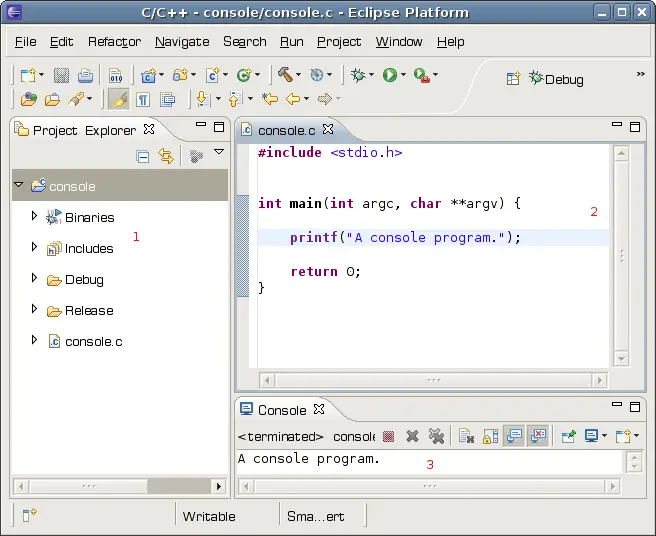
ozmo wrote: » I'm very familiar with (from that list) C,C++,Python,Java But the dev environments I've tried on the RPI have so far been really poor (little more than notepad).
Havn't tried DotNet on the RPI...
- but I've a lot of experience of it in MS Enviroments - so that was going to be the next thing I try. Get it working on PC and port to PI.
ozmo wrote: » Thanks for all that - I havn't tried Kdevelop - I see it does Python - might give it another go. >.Net may not work as smoothly on Linux as it does in Microsoft environments. Thanks for the heads up - Ill give it a miss so - pity - I like .Net > This might interest you: > http://hackaday.com/2013/02/06/compl...-kitchen-sink/ Ahh cool - I saw a brief clip of that a while back but not seen the full details or article. Ill read through it now. Thats exactly what id like to do. Since my ordered Arduinos have gone awol (link to saga) Ill hack it out on the PI first. > SiriProxy is written in Ruby. Ah no - yet another language to learn :S my only worry is if the PI will stay running for long (months) if left on? SD Card wear and all that.
syklops wrote: » I recorded an uptime on my Pi of 3 months for a performance test. 3 months was more than enough for the test so I ended it there. The SD card will not "wear". If you're very concerned, set up a cron job to reboot every 90 days.
ozmo wrote: » Seems about 3 months tends be the magic number after the wear kicks in and you start to loose sectors(according to reports - haven't run mine that long yet). This thread suggests a kind of workaround (leave more sectors free basically) - but still - but you are relying on a form of memory never intended to be used as a HDD.http://www.raspberrypi.org/phpBB3/viewtopic.php?f=63&t=37195
MRTULES wrote: » Thought I'd use this thread instead of staring up a new one seeing as it has been discussed here. I'm looking for advise on setting up a cheap retro gaming device and seems like the PI will fit the bill nicely. I am trying to do it on the extreme cheap! I have ps3 controllers and will make the case for the PI out of lego so all I really need is a PI sd card and charger(the charger I use for my phone seems a little weak). What I'm looking for is the cheapest place to buy these (amazon seems like the best)? Also all i want to play is SNES (Mario world, Mario Kart and Zelda). Is there any easier way to download an emulator that will only run the snes or is retropie still the way to go? Seeing as I am a total noob, I was thinking of picking up an SD card with NOOBS preinstalled but i spotted a "half price" Sd card in argos and was wondering if like retropie, there is an image of noobs i could just download to this? Do I even need noobs at all? will pick up a bluetooth adaptor in deals also as per Mr Vestek's great vids (thanks for them). Any help is much appreciated
MRTULES wrote: » I was looking into them alright but thought that using the ps3 controllers via Bluetooth would avoid the power issues. I was just going to plug in the blue tooth adaptor. 1.49 in deals. Would this still cause power issues? Would I need a 2nd SD card. One for noobs and one for retropie?
syklops wrote: » Trust me, for the sake of a tenner get a powered USB hub. Using just the 5 volts power which gets supplied to the Pi can cause intermittent problems which are very hard to troubleshoot. I had problems with a wireless dongle which sporadically dropped. Spent an inordinate amount of time troubleshooting it, recompiled drivers etc. It was all fixed with a 10 euro powered hub.