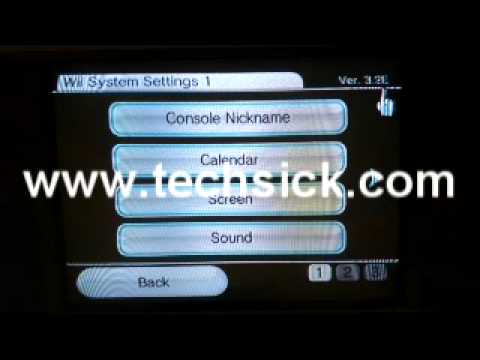
dusf wrote: » Hi I want to softmod my Nintendo Wii and put the homebrew channel on it so I can play homebrew games and my own games from a hard disk drive. The guides I have found so far all want money for software to 'unlock' the Wii - can this not be done with free software? Someone told me once to get Super Smash Bros to do it.
dusf wrote: » Lots to work with there guys, thank you all very much. My Wii is actually on order from Adverts.ie and should arrive in a few days so I will know the System Menu version then. Do any of you run your backed up games off a hard disk drive? If so are there any manufacturers or types of HDDs to avoid for any incompatability reasons? I'll either order an external or an internal and an enclosure, whichever is cheaper for a quality drive. I understand this will make our games run faster than using the discs, and also it looks really handy rather than having to put discs in and out!
Conar wrote: » Not sure we can discuss that area but compatibility of drives has never been an issue for me.
smliv wrote: » later model softmodded wii cant play your backups of your games from disc and harddrive in wbfs format can only hold 500 titles no matter how much space is left on it a good few discs only have 2 or 3 gigs data on them. i have 2 1tb external drives got in peats electronics for 75 each work perfect have them years they are iomega. And for modding look up letterbomb.
EnterNow wrote: » There was a website that used to generate an install package for you based on the Wii serial number afaik, not sure if its still around
smliv wrote: » Get a classic controller its a game pad that plugs into your wiimote or a gamecube pad saves all that waving about like a headcase but not all games support them but most do. Myself personally i use the wii for lightgun games, resident evil umbrella chronicles, house of the dead and such. Although i like the mario galaxy and donkey kong country returns games
ufc pro wrote: » put the nes and mame emulators on it and play the old arcade classics
ufc pro wrote: » what sd card is it, and is it a proper sd card or one that takes a micro sd, because the micro sd's are not recommended to use!
ufc pro wrote: » sounds like you should just try the usual and try again,did you put it in the right place sorry i meant your apps folder?
ufc pro wrote: » did you have your external drive connected when you done it? if so do it again and take out your drive before hand and try reinstall! hope this helps!
ufc pro wrote: » make sure there is nothing else connected, only the sd card!
ufc pro wrote: » i always found usb loader gx worked perfect, wii flow never really worked the way i would like it, only one game has ever given me problems, one of the marios i think, and anytime i changed something to fix it' it would work but then about ten other games would not, so 1 game not working is a small price to pay when the other 110 games work perfect! with usb loader gx just put your pen drive or external drive which ever in and start up loader gx and it auto detects the drive and all your games come up covers and all, its a pretty nice setup! but it is what ever you like yourself! also with gx when you put in one of your ORIGINAL discs i think you press one on the controller and you can back it up straight to your drive its excellent! good times!
dusf wrote: » Is it possible to run games from both using Wii Flow or USB Loader etc? In Wii flow there is an option to select partition/drive but it only shows USB1 and SD with one flash drive in and two, we have only been able to use different flash drives but putting connecting them into the port we were using already.
EnterNow wrote: » We're veering very close here to Backup Manager Advice & Running Of...which isn't permitted