Plascebo wrote: » As the title suggests my PS3 won't recognize .mkv files. Is there anything I can download etc. to play these files on the PS3? Cheers
L'prof wrote: » ps3mediaserver to stream mkvs from your pc to your PS3 would be my preference, but depending on your router/processor mkv2vob to convert mkvs to files that can be played on the PS3 might be a better option.
Varik wrote: » With mkv2vob when dealing with more that 2.1 audio it messes it up when you need to convert the audio, depending on whether the original file is ac3 or acc (for the audio codec) use gotsent for the former and mkv2vod for that latter (may be other way round).
jayteecork wrote: » mkv2vob works perfectly for me.
NOGMaxpower wrote: » ps3mediaserver is the only app that will give you true mkv h264 playback. mkv2vob changes the format to vob which has less quality .
eclipse05 wrote: » I am using MKV2VOB and is perfect! Easy and fast!If you streaming MKV from your PC you are loosing quality. Reversing or forwarding takes ages!
eclipse05 wrote: » I have always very similar file size from original... Once I converted "300" around 32GB and looked amazing on PS3... But You need to change from VOB to M2TS
eclipse05 wrote: » o many parts wasn't a problem... You can set in PS3 settings to automatic go to next video bellow.
L'prof wrote: » I doubt that's the case at all! In fact, you're more likely to lose quality using mkv2vob considering the varying output sizes depending on what settings you're using!
Varik wrote: » During compression which occurs during streaming, what is taken out can never fully be restored. Hence, the quality of highly compressed media files will never look and sound as good as the original media. When you compress audio and video files for streaming, you will always lose some quality. As you make file sizes smaller and smaller to accommodate lower bandwidths, loss of quality is more noticeable.
eddhorse wrote: » I have a new TV that plays MKV but my FAT32 hard drive that plugs into it wont recognize anything over 4GB. If i copy everything off it then reformat to NTFS it will but then it wont work in my PS3, darn it. Just gonna have to get another external HDD. Although if they upgrade the PS3 to the latest DivX version i believe that will give us MKV support. Similar to this :http://www.divx.com/en/software/divx-plus/pro
L'prof wrote: » I'd be extremely surprised (and delighted) if they released a firmware upgrade that supported mkv!
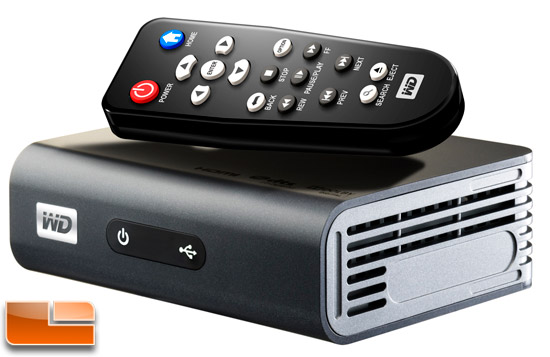
Grayditch wrote: » I thought long and hard about ther hassles of playing MKV on PS3 nd decided to buy one of these instead. Fair play to people who do use the PS3, though.
Varik wrote: » Partition the HDD into two parts with FAT32 in one and NTFS in the other, then place all file that need it in the NTFS.