With Game-Stop selling the Xbox original at €20 a pop why not set yourself up with the ultimate home media centre system aka XBMC for free, you'll wonder how you ever managed without it, you also of course are able to use it as a gaming system too if you ever get time after watching all the stuff you have

I've put together this guide which I hope you might find useful.
This should work for every Xbox original, it doesn't matter what version it is.
Warning: This will invalidate you warranty!!, messing about with electrical goods is dangerous, do not try this unless you are sure you know what your doing!!
If you kill your Xbox I ain't taking the blame baby, its your choice!!
Ok first of all here's a check list of stuff you need for this project :-
1) Xbox original (doh!)
2) Pc with IDE hdd connections
3) Torx 20 screwdriver
4) Blank cd and burner
5) Ndure-3.1.rar - get it from Xbins using
Auto Xbins - browse to /XBOX/Console Based Applications/exploits/_Packages/Kingroachs Installer/
6) xboxhdm_v1.9.zip - Get it from
here
7) Iso Recorder - download it
here
8) Latest T3ch build of XBMC -
here - XBMC 8.10 Final - Atlantis Build. Fill in the verification box to download
9) An ftp browser, I like
Filezilla10) Slight update, I've noticed the last few Xbox's I've done with this method there has been issues because the console hasn't been on the latest, or Live-Enabled dashboard. It might alleviate potential problems if you use a later era game, & use the XBL settings to Live-Enable the console if not already done, & then proceed with the mod [EnterNow]
Ok lets get started.
1) Unpack the ndure,xboxhdm and xbmc files and install Iso Recorder.
2) Fire up the Xbox and got to Settings > System Info and find out what kernel your box is running (the line starting with K:X.XX...) :-
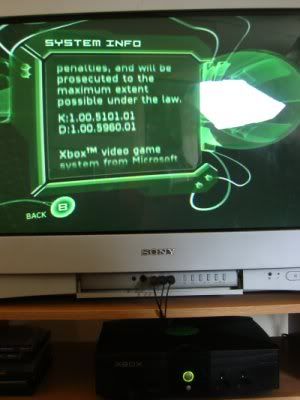
My Xbox is running kernel 5101
3) Now run Ndure, check everything except in the kernel selection box - make sure to select the correct version you noted down in the previous step.
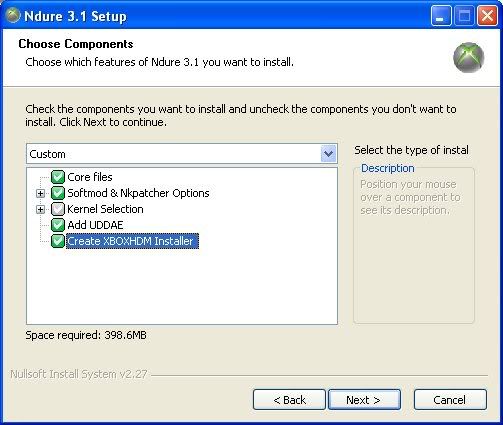
When the wizard prompts you where to save to, choose the xboxhdm\linux folder you unpacked in step one above.
4) Now copy the ndure.txt file attached to this post to \xboxhdm\linux\ndure and remove the extension, just should be called "ndure", delete the ndure.htm file in there.
5) Go to the main xboxhdm folder and double click make-iso-win.bat and wait for it to do its thing. When its done you should have a new linux.iso file in you xboxhdm folder. If you installed Iso recorder earlier all you need to do is just double click it and burn.
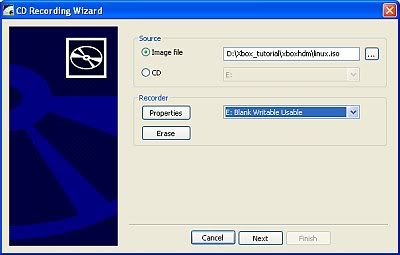
Ok, now for the fun stuff,
6) Copy a music track to the Xbox hard drive and remove the cd and switch off the Xbox
7) Take off the cover making sure to remove all 6 screws, if its very tight you didn't remove all six!
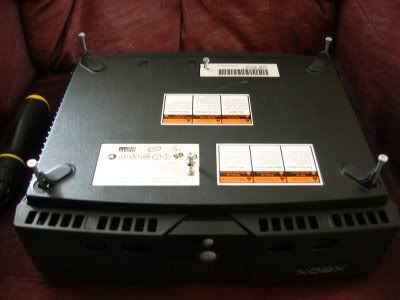
Unscrew the hdd holder (underneath the ide cable) and unscrew the drive.
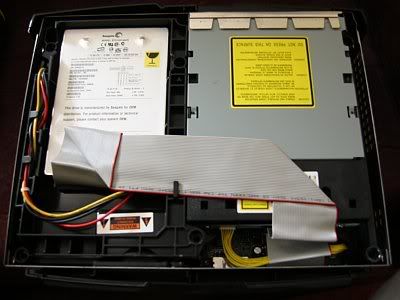
8) Boot the Xbox up and start playing the track you recorded to the hdd earlier and then press pause (also make sure there is no cd/dvd in the Xbox dvd drive) . This unlocks the hard drive and is essential.
9) Boot the pc up off the cd you burned earlier, when you get to the screen below disconnect the ide cable from the Xbox to its hdd and connect the pc ide cable to it (must be connected to the end of the cable).
***IMPORTANT*** - The Xbox hard drive MUST be connected to the primary ide cable at the end otherwise it wont be seen by xboxhdm (cd rom on the secondary ide cable)
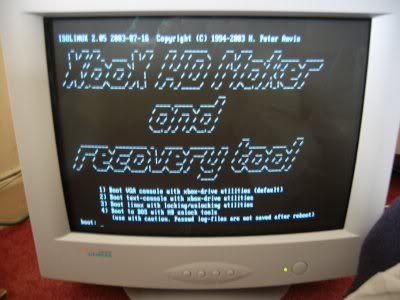
****NOW HOTSWAP THE DRIVE****
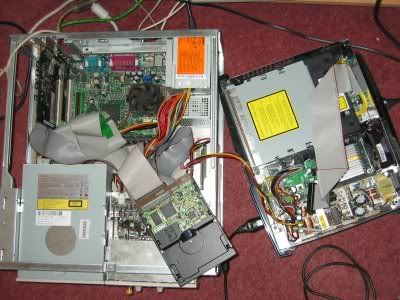
Now select option 1, if it complains about resolution, ignore it and hit the spacebar to continue.
Now type xbrowser
All going well you should see the screen below (sorry for poor quality)
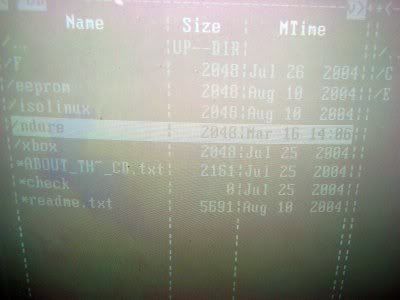
Choose ndure, hit enter and select ndure on the next screen too.
Choose option 1 to install ndure.
It will complain that no backup was done and will then backup the existing hdd image and then will copy over the ndure files.
This takes about 5-10 minutes and nothing happens on the screen. Go get a cup of coffee and wait for it to say its finished.
10) Connect the hdd back to the xbox ide cable and power it off.
Power it back on, all going well you'll get the standard Xbox boot screen followed by UnleashX.
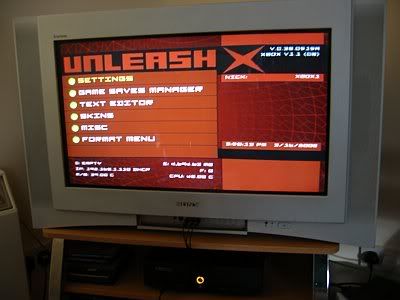
If you got this far, time to get excited, the end is in sight!!
Note : the power light goes orange in modded boot. If you press the eject button when its off it will boot to the standard Xbox screen, pretty cool eh ?
Note the IP address on the bottom left of the screen.
11) Ok now to put XBMC on there, you have two choices, either install it as an application in Unleash X or to install it so it boots directly to XMBC itself, probably the most common choice.
Fireup your ftp browser and go to the Xbox IP using user : pass as xbox:xbox and port 21.
If you want to install XBMC as an app in UnleashX copy the entire contents of the XMBC folder you unpacked earlier to e:\apps
If you want the Xbox to boot straight to XMBC (preferred by most) just copy the entire contents of the XMBC folder to e:\dash (good idea to back up the files there in case something goes wrong) choosing yes to any overwrite prompts.
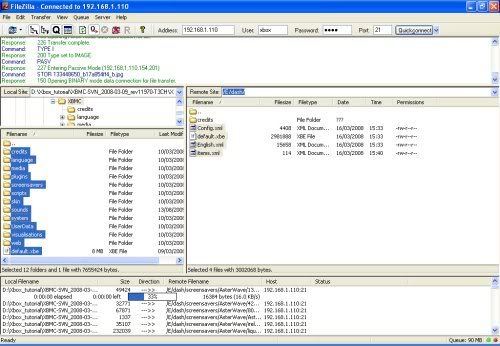
Ok, now for the moment of truth.............
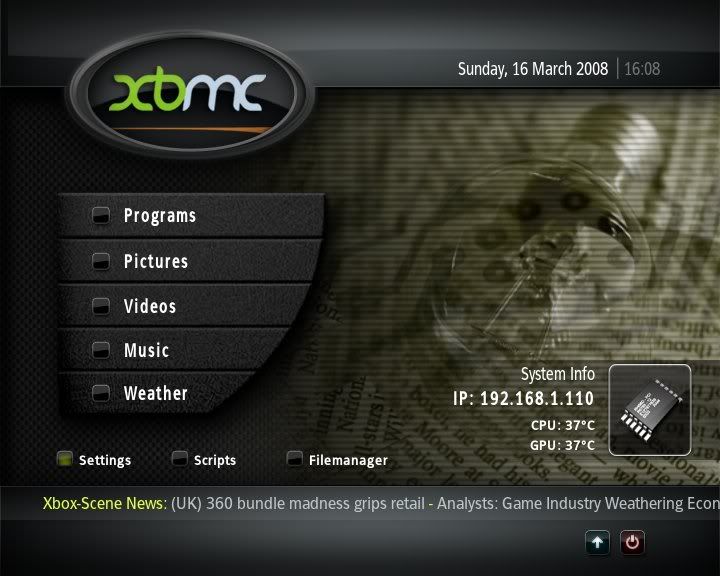
Power off the Xbox and reboot..if you see the image below...have fun - you just got the best media centre money can buy..for the princely sum of 20 yoyo's!!


![Photo of [Deleted User]](https://w4.vanillicon.com/v2/456e94c1aaca3d9c59abcd3807c68318.svg)

