How could i make time on post banner to be in 24h format?
This comment will go to a new page - so will help out
Having the full date and time on every post was just a CSS change - I have it and I'm not running any custom JS.
Have it too, but would prefere 24h if posible
This makes sense. In the long run it will bring stability, short term it slows everything down when you and your outsource are on different continents.
Yeah the codeblocks or something is definitely crashing out this page .
Sorry smuggler, couldn't reply to your post on previous page, virtually impossible as page freezes browser completely with the codeblock formatting!
I have that as well but with css only.
If anyone interested, allow to mod react button colours
.Reactions .ReactButton.Quote,
.Reactions .ReactButton.ReactButton-Like,
.Reactions .FlagMenu.ToggleFlyout {
width:69px!important;
height:30px!important;
background:linear-gradient(#fdfdfd,#d8d8d8);
border:1px solid #d8d8d8;
display:flex!important;
justify-content:center!important;
margin:4px!important
}
.Reactions .ReactButton:hover,
.Reactions .FlagMenu.ToggleFlyout:hover {
background:#3c5587;
color:#fff
HAve same, many times had to close page and open fresh to complete post from draft. Not sure what cause - code or draft
It's definitely using codeblock formatting!
This page was flying :)
Please see my small compilation, from all above and few my own discoveries. Dont judge to strict - first time ever....
Not sure what happent, was clicking away and this loaded.
Ingnore, it was link in notification
Bit hacky
$(".postbit-header time").each(function(index) {
dt=new Date($(this).attr("datetime")).toString()
$(this).text(dt.substring(0,21))
});
Thanks @fritzelly . 😵😵🤪 what should i do with this one 😀
It does not resemble CSS, perhasp JS but i am not ready for it yeat :D
Its JS
Fritz, any chance you could share your full CSS and JS texts? I'm going to defer to your expertise and just copy what you have!
https://github.com/fritzelly/boards.ie
This allow to set text colour on hover Flag button, however, can figure out yellow and green for other two
.FlagMenu.ToggleFlyout:hover .ReactButton-Flag { color:red!important}
Little one - change external links to normal links, no more Leaving Site... pages
$(".Message.userContent > p a").each(function(index) {
realurl=$(this).attr("href").replace("/home/leaving?allowTrusted=1&target=","")
realurl=decodeURIComponent(realurl)
$(this).attr("href",realurl);
})
tweak to code() to let reaction buttons to drop to bottom in oneliner posts
.Reactions { padding: 0 !important; margin: 0 !important; margin-right: 10px !important; position: unset absolute !important; float: right !important;}
before
after
Edit: had to tweak it once more as it introduced another problem - works fine if poster has signature setup, but long text line or big image/quote flow behind buttons if not set. Bellow covers all i think
.Reactions { padding: 0 !important; margin: 0 !important; margin-right: 10px !important; position: relative !important; float: right !important;}
@fritzelly , or anyone, chance you could assist to get it working properly?
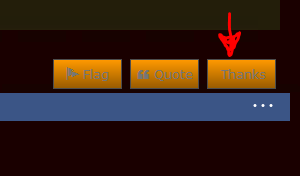
.ReactButton-Like:after {
content: "Thanks";
position: absolute;
display: block;
color: black; /*need to match others*/
top: 5px; /* ? */
left: 15px; /*need to acomodate count number, could be ???*/
What do you want to happen?
look at my "like" button
that is after #2 attempt
.ReactButton-Like {
text-indent: -9999px;
line-height: 0; }
.ReactButton-Like::after
{
text-indent: 0;
line-height: initial;
neither of versions are working the way intended due to lack of my coding knowledge 😀
Ok I've had a few drinks but what am I missing?
😁 cheers!
What do you want to do? Make it wider so it fits the icon and count?
whatever it will take to get rid of "like" keeping count
Think I get you - when you click the button the text reverts
No easy way round it as the JS routine keeps resetting so you would need to remove all events on the button whilst still maintaining the ajax request to the server to update the Likes - lotta work