Snakeweasel wrote: » [...]noticed that all my game shortcuts on my desktop were default thumbnail icons and whenever I want to play a different game, it has to download again.
Snakeweasel wrote: » Not sure if this is the best place to post this. But I have been having a bit of an issue the last few weeks. I have a 1TB HDD and 240gb ssd as boot drive. Both were getting pretty full as my sister saved stuff on my ssd also. So i was moving stuff around to free up space (dont think anything went wrong there) Then my sister got a laptop and from some reason was trying to zip all her files and email rather than just put them on a hard drive and copy them over. Anyways I came home from work to find her doing this and noticed that all my game shortcuts on my desktop were default thumbnail icons and whenever I want to play a different game, it has to download again. This would only be a small inconvienience if my HDD wasnt still showing as still full! I have set up a second steam library folder so was wondering what would go wrong if I deleted my first one? wouild I just lose my save files or would they have been gone from whenever everything went blank?
ED E wrote: » She plugged something else in before your drive. So what was is probably E: and is the wrong path but where all icons point.
Snakeweasel wrote: » How would I be able to see that? She had everything saved on the c drive and all my steam games were on my d drive
smuggler.ie wrote: » Open "File explorer", click "This PC" this is where drives and assigned letters show up What ED E says, drive letters are assigned on first come first served bases (unless manually set!!) : once(If) your HDD was disconnected and hers then was connected, it got with that present, if you plug additional drive it will get "next available" letter (E:\) From here, if your drive now is E:\ and your shortcuts path say \whatever\whatever it will fail to see its origins.FolderSizes is one of many paid (free trial) soft that will read and show you all locations, contents and sizes of all your drives/folders/files. It might help you to find your games as well as to see what is consuming space. Only mentioning them as i find them good, free alternatives might be available.
Snakeweasel wrote: » Ah she definitely didn't do that and the c and d drive still show up the same. I may well use that as I am down to about 100gb on a 1TB HDD with only a handful of games installed
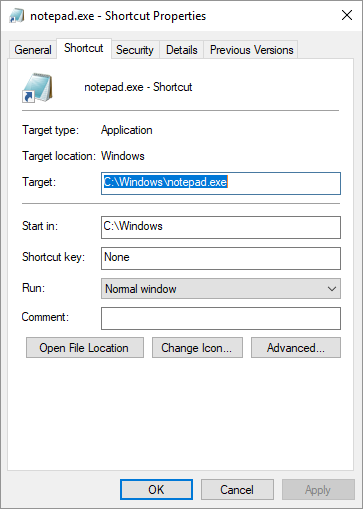
smuggler.ie wrote: » Can you check what is "target" path on your "broken" shortcut and verify that file in question is present in that directory.
smuggler.ie wrote: » What is it then? Shortcut should be "Type of file: Shortcut (.lnk)" , in General tab post screenshot Are other/new shortcuts working?
Snakeweasel wrote: » it says file type is internet shortcut (.url)
Snakeweasel wrote: » ....steam library folder....