Advertisement
Help Keep Boards Alive. Support us by going ad free today. See here: https://subscriptions.boards.ie/.
https://www.boards.ie/group/1878-subscribers-forum

Private Group for paid up members of Boards.ie. Join the club.
Hi all, please see this major site announcement: https://www.boards.ie/discussion/2058427594/boards-ie-2026

JKBMS

1234568»

Comments

  • Moderators, Home & Garden Moderators Posts: 7,320 Mod ✭✭✭✭graememk


    If the difference of 0.025v is at a cell voltage above 3.5v it's great,

    If it's 3.3x it's meaningless.


  • Registered Users, Registered Users 2 Posts: 241 ✭✭serox_21


    Dropped to 0.011 or 0.08 at around 3.5xx cells voltage


  • Registered Users, Registered Users 2 Posts: 241 ✭✭serox_21


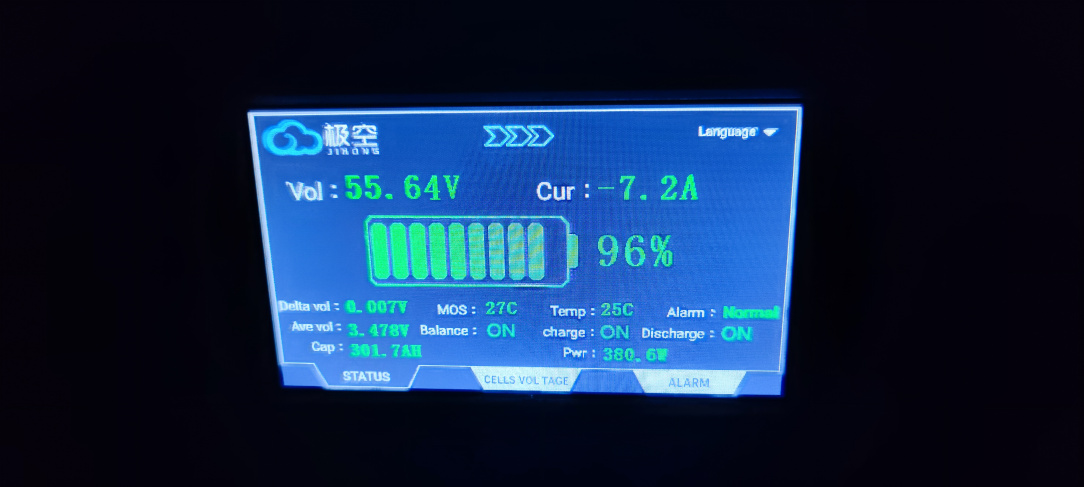
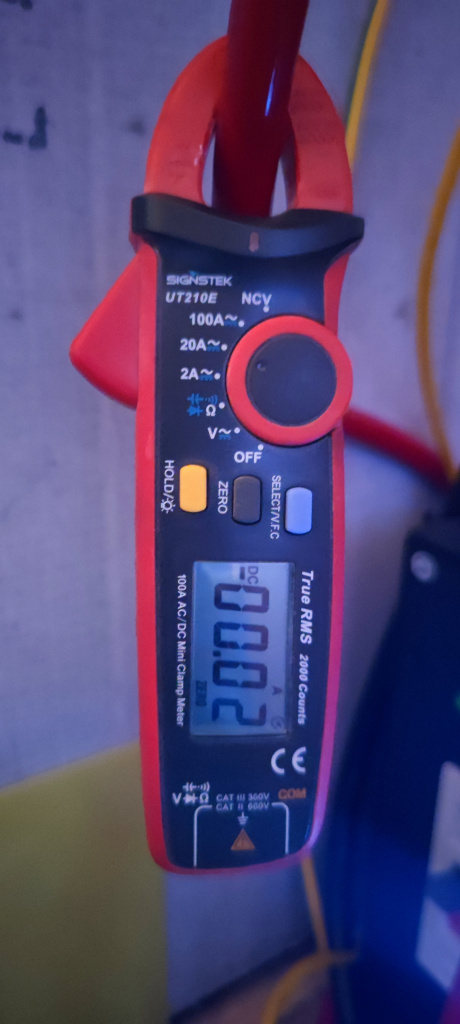
    I've noticed that the amps reading on the bms display is not accurate.

    Bms is showing a 6-7A current flow while my clamp meter is showing less than 1A.

    Same on the inverter side, no current flowing from the battery side.

    P.S. Battery cells are almost fully balanced.

    IMG_20250709_161355.jpg IMG_20250709_161409.jpg


  • Registered Users, Registered Users 2 Posts: 2,693 ✭✭✭SD_DRACULA


    You can calibrate the voltage and amps howveer at low draw, the jkbms shutns are useless anyway.

    Put on a constant draw from the batteries like 100a, take CT reading and then enter it in the app it will "calibrate" it


  • Registered Users, Registered Users 2 Posts: 2,964 ✭✭✭Markus Antonius


    I bought 16x grade b cells from nkon back in December but haven't been able to set it up with this bms and Deye after the storm crippled us in January. Each cell is showing a very consistent 3.282v. how long more can I go without charging or should they hold? Considered using car charger to get by but wasn't expecting the good voltages


  • Advertisement
  • Moderators, Home & Garden Moderators Posts: 7,320 Mod ✭✭✭✭graememk


    They are fine for a good while yet, they are at storage voltage, they would be good for many months more


  • Registered Users, Registered Users 2 Posts: 241 ✭✭serox_21


    I think on my first charge of the pack it took in around 12Kwh. The state of charge of the batteries was around 30%.

    I had a resting voltage of 3.291 - 3.293 across the cells. Your cells shoul be around same state of charge like mine were.


  • Registered Users, Registered Users 2 Posts: 241 ✭✭serox_21


    I've read a few post back that the last version on jkbms firmware is 15.43 for version 15.

    I have firmware version 15.38. Whats new on the latest, and does it worth updating?


  • Registered Users, Registered Users 2 Posts: 241 ✭✭serox_21


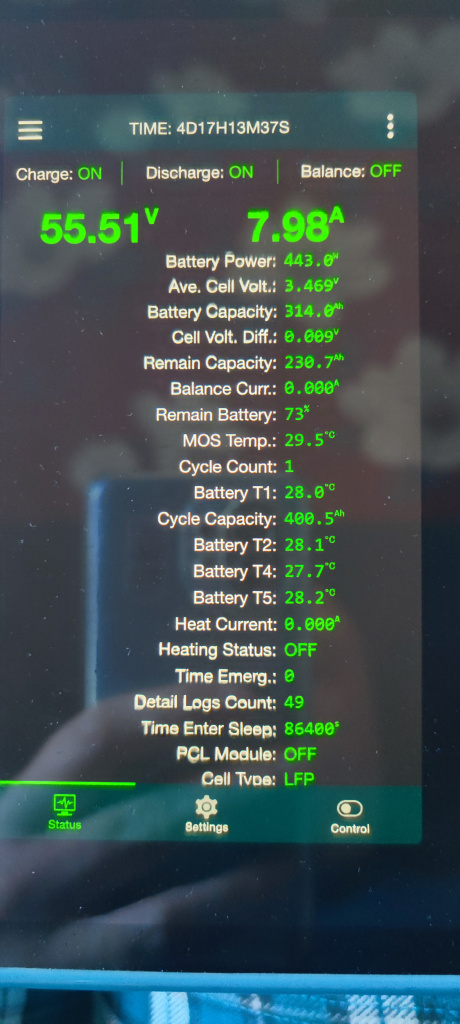
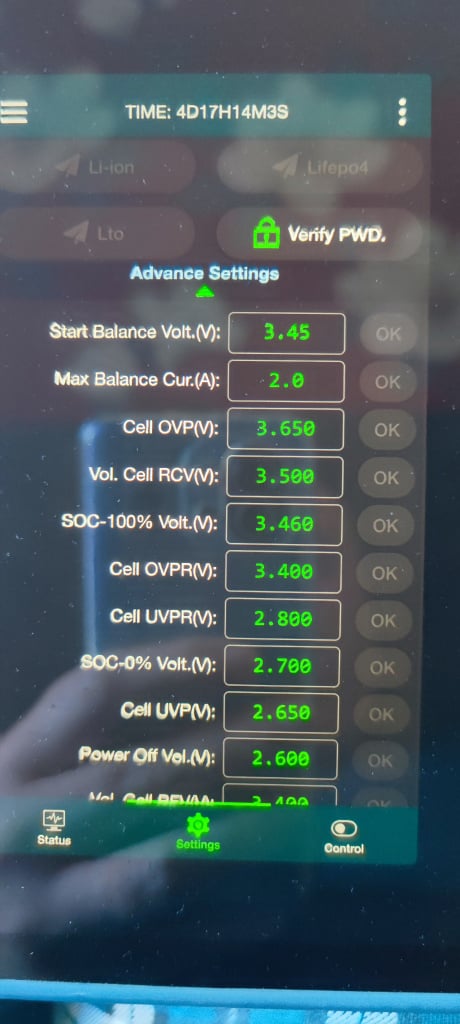
    My battery SoC is not resetting to 100%.

    Although the battery is charging to expected voltage, the battery SoC is not resetting, showing lower percentage everyday after a full charge.

    SOC 100% is set to 3.460 per cell, but the battery is showing 73% charge.

    Also bms is showing a current drow of 6-7 A which is not accurate, no battery is used by inverter, lowering the SOC even more.

    Should I switch to Voltage option setting in the inverter and ignore the SoC?

    IMG_20250713_111051.jpg IMG_20250713_111118.jpg


  • Moderators, Home & Garden Moderators Posts: 7,320 Mod ✭✭✭✭graememk


    If you calibrate the current, now to 0 does it stay at 0?

    I think the voltage now has to be above the 100% voltage (id be of the opinion 3.4 is very low, I'd be pushing 3.55)

    But yeah go for the voltage for now, if it's reading the current wrong, it's never going to be right


  • Advertisement
  • Registered Users, Registered Users 2 Posts: 2,693 ✭✭✭SD_DRACULA


    Watch one of Andy's video he explains how to get it to 100%, basically set your 100% to about 3.55v like @graememk said but change your RCV or whatever is called from 5 hours to 10 mins and then if it sits on over 3.55v for 10 mins it will reset to 100% and begin float timer.


  • Registered Users, Registered Users 2 Posts: 241 ✭✭serox_21


    Changed the RCV to 3.55V and RCV Time to 1 (hour). I'll wait see if it resetting.

    Regarding the amps adjusting. It wont take any values manually inserted. Error message pops up. Only allows for the voltage value to be updated.


  • Registered Users, Registered Users 2 Posts: 241 ✭✭serox_21


    After changing the above settings, the cell voltage did not exceed 3.53V.

    So I lowered the RCV to 3.5 and RCV Time to 0.1h and bms changed from bulk to absorb.

    After 6 min in absorb bms reset to 100% and status changed to float.

    What I find a problem is that it never reached 3.55V as first set in RCV.

    Noticed that the inverter voltage was displaying 0.2 lower voltage than bms.


  • Moderators, Home & Garden Moderators Posts: 7,320 Mod ✭✭✭✭graememk


    Last time I checked it only took whole numbers


  • Registered Users, Registered Users 2 Posts: 185 ✭✭Abromavich


    https://www.boards.ie/discussion/comment/121638130#Comment_121638130

    Can the Jk BMS be connected directly (either bluetooth or USB/RS485) to home assistant without using a micro controller?

    I think the Batmon integration can do it? Can it only be directly connected via bluetooth and not over UART?


  • Registered Users, Registered Users 2 Posts: 2,693 ✭✭✭SD_DRACULA


    It will connect to any esp32 BT proxy running esphome and flashed with something like this: https://github.com/syssi/esphome-jk-bms/blob/main/esp32-ble-example.yaml but if you want to spend silly money: https://shop.jamestronics.com/

    Or to solar-assistant, works fine over rs485


  • Registered Users, Registered Users 2 Posts: 185 ✭✭Abromavich


    Yeah no problem connecting directly to Solar assistant. I want to be able to disable battery charging when solar output < 6kw. What would be the recommended way to control this?

    Obviously though HA for the automation but not sure of the best way to connect it to HA…


  • Moderators, Home & Garden Moderators Posts: 7,320 Mod ✭✭✭✭graememk


    you could just set the charge current in the Deye to 0 in HA to do the same effect.

    If you want to get fancy you could even vary the charge current so the deye acts like an eddi and only charges on the "excess"


  • Registered Users, Registered Users 2 Posts: 185 ✭✭Abromavich


    Yeah definitely going to do it like that with only excess charging battery.

    Any issues connecting via Bluetooth to do it? Batmon integration the best way? I have the USB/rs485 cable but it seems you need the microcontroller to use it...


  • Moderators, Home & Garden Moderators Posts: 7,320 Mod ✭✭✭✭graememk


    Can't you do it in solar assistant?

    Change the max charge current on the deye not the BMS.


  • Advertisement
  • Registered Users, Registered Users 2 Posts: 185 ✭✭Abromavich


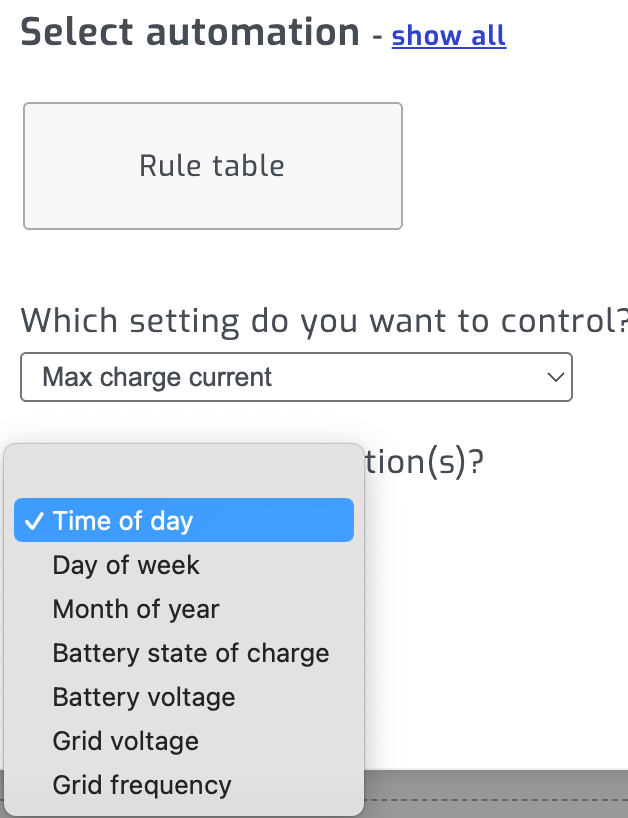
    No I think it cant be done by just using SA. You can create an automation to control Max charge current but only using the below listed conditions. There is not a condition for solar power output… I think you are forced to at least use HA.

    image.png


  • Registered Users, Registered Users 2 Posts: 2,693 ✭✭✭SD_DRACULA


    If you have SA set up then just hook it up to HA using mqtt https://solar-assistant.io/help/home-assistant/setup?srsltid=AfmBOoqniPky0tGF6tTfSdZ5r21Sc0D3qGRNoH2-dt-PJLr8rWfM1BJh this will give you control of all the charging/discharging and then you can set your automations from HA, copilot/any AI will be your friend here


  • Registered Users, Registered Users 2 Posts: 185 ✭✭Abromavich


    Ah ok, I've already hooked up SA to HA using mqtt. So no need to separately connect the JK BMS to HA.


  • Moderators, Home & Garden Moderators Posts: 7,320 Mod ✭✭✭✭graememk


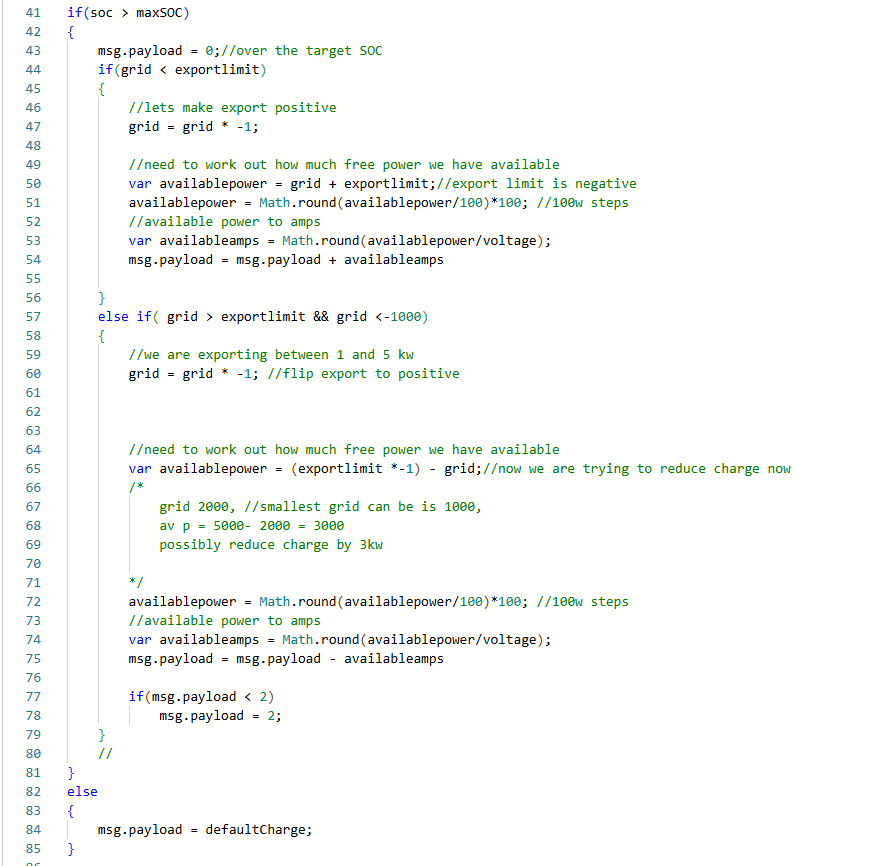
    If you want to delve even deeper, you can control it via how much the export is happening

    some code in node red for inspiration :P

    image.png

    I have a helper set to a SOC of my choosing, it will charge the battery at full power until it reaches that SOC.

    After that soc is reached, it calculates what excess there is, in watts, then we convert it to amps using the battery voltage.
    msg.payload in this context is the feed from the grid ct.

    export power is set at say -4000, because it needs a bit of wiggle room to allow the battery to charge etc


  • Registered Users, Registered Users 2 Posts: 2,693 ✭✭✭SD_DRACULA


    Here's one to max out the export:

    alias: Maintain grid export around -5900
    triggers:
      - minutes: /3
        trigger: time_pattern
    conditions:
      - condition: numeric_state
        entity_id: sensor.deye_sunsynk_sol_ark_grid_power_ct
        below: 0
    actions:
      - choose:
          - conditions:
              - condition: template
                value_template: "{{ grid_power > -5900 }}"
            sequence:
              - target:
                  entity_id: number.deye_sunsynk_sol_ark_max_sell_power
                data:
                  value: "{{ (max_sell_power + diff_to_limit) | abs }}"
                action: number.set_value
          - conditions:
              - condition: template
                value_template: "{{ grid_power < -5900 }}"
            sequence:
              - target:
                  entity_id: number.deye_sunsynk_sol_ark_max_sell_power
                data:
                  value: "{{ max_sell_power + diff_to_limit }}"
                action: number.set_value
    variables:
      grid_power: "{{ states('sensor.deye_sunsynk_sol_ark_grid_power_ct') | int(0) }}"
      max_sell_power: "{{ states('number.deye_sunsynk_sol_ark_max_sell_power') | float(0) }}"
      diff_to_limit: "{{ 5900 + grid_power }}"


  • Registered Users, Registered Users 2 Posts: 2,964 ✭✭✭Markus Antonius


    Finally got my 16x grade B nkon cells connected up to my 8k Deye.

    Read through this whole thread from the beginning and a bit unsure about the CAN vs RS485 discussion here and the inverter's ability to "communicate" with the BMS. What should this communication look like? The Deye can see the 55V of the battery bank but when I go to view the detailed info, each battery is 0.0V on the deye (all looks good on the BMS app). I assume a standard Cat6 connected to the CAN port is all that is needed? When I see discussion of pinouts it makes me worried that it needs to be crimped in a different order.


  • Registered Users, Registered Users 2 Posts: 1,980 ✭✭✭tnegun


    It's been a while since I did mine, but I made up cable to split out CAN & RS485 into a dual RJ45 socket and used regular patch cables from it. You can purchase one of these either https://www.amazon.ie/RJ45-Splitter-Connecting-Monitor-Battery/dp/B0DPFFBNJ7


  • Registered Users, Registered Users 2 Posts: 2,964 ✭✭✭Markus Antonius


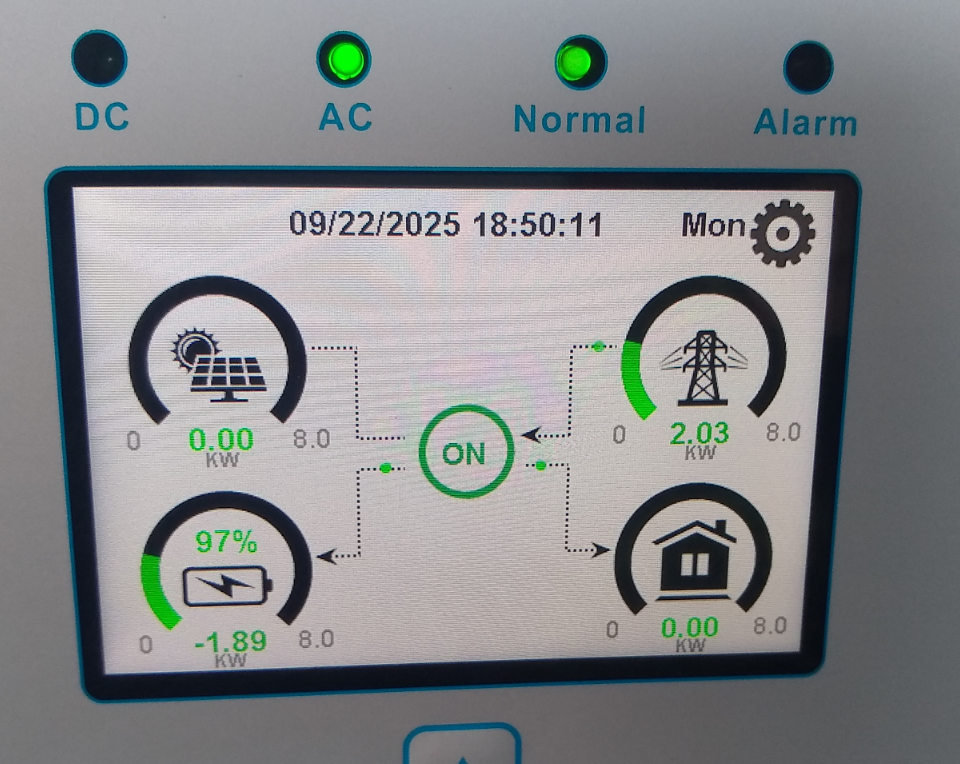
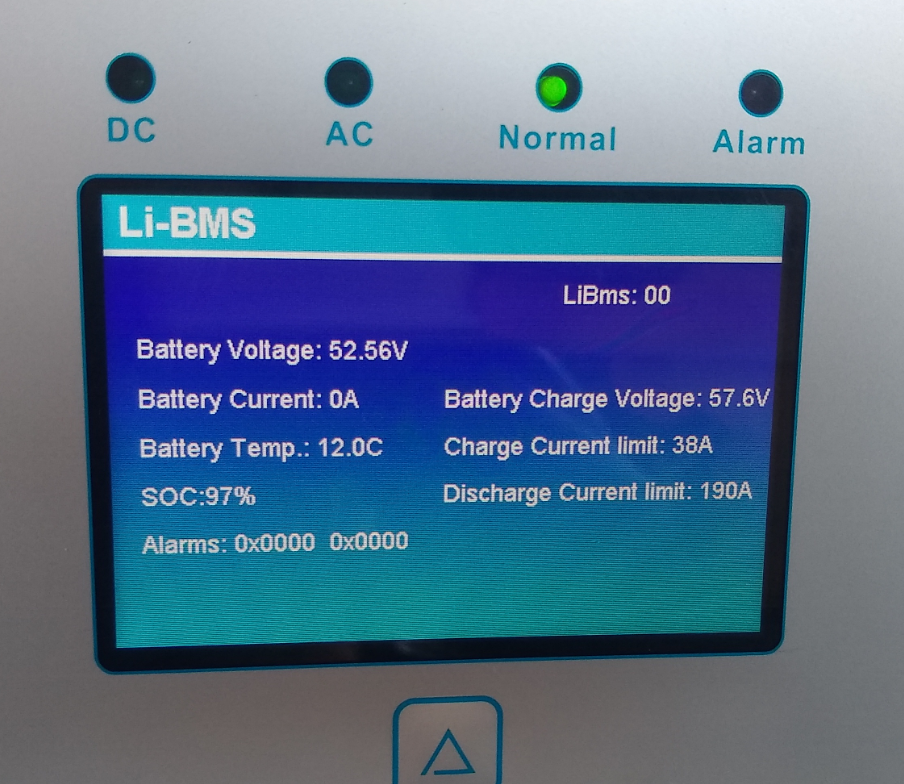
    Forgive my ignorance now, but just want to confirm before I start buying things. This what I currently see on my Deye when using the COM port (2nd from left) and a standard ethernet cable:

    2025-09-23 18_18_37-eM Client.png 2025-09-23 18_18_58-WhatsApp.png

    Are you saying that there is some other level of communication the inverter can have with the BMS?


  • Registered Users, Registered Users 2 Posts: 1,980 ✭✭✭tnegun


    I'm going from memory but what can you see under battery settings? If it's communicating properly with the BMS you won't be able to change most settings as the BMS is dictating them.


  • Advertisement
  • Registered Users, Registered Users 2 Posts: 1,980 ✭✭✭tnegun


    I had a look at my inverter this am and my battery screen matches your screenshot so looks like it is talking to the BMS, if you adjust the charge/discharge current on the BMS is that relected on the Deye?


Advertisement